
- Open the course that you want to assign the grade for a student.
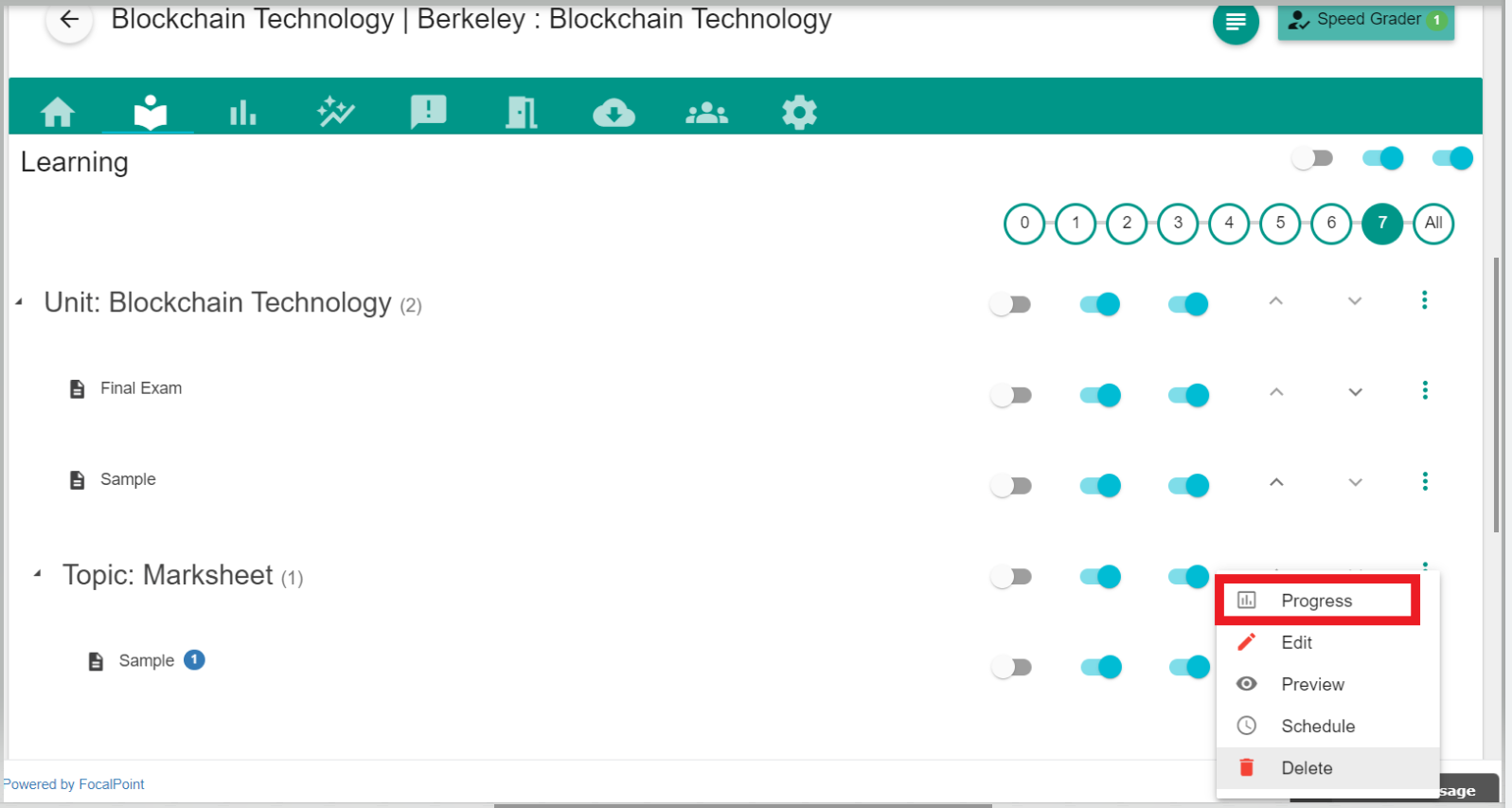
- Select the module directly by launching the activity by clicking the three dots (Action button). and then select the "Progress" tab from the drop-down list.
- The next screen shows the list of students where you can select the student and give a score to their activity.
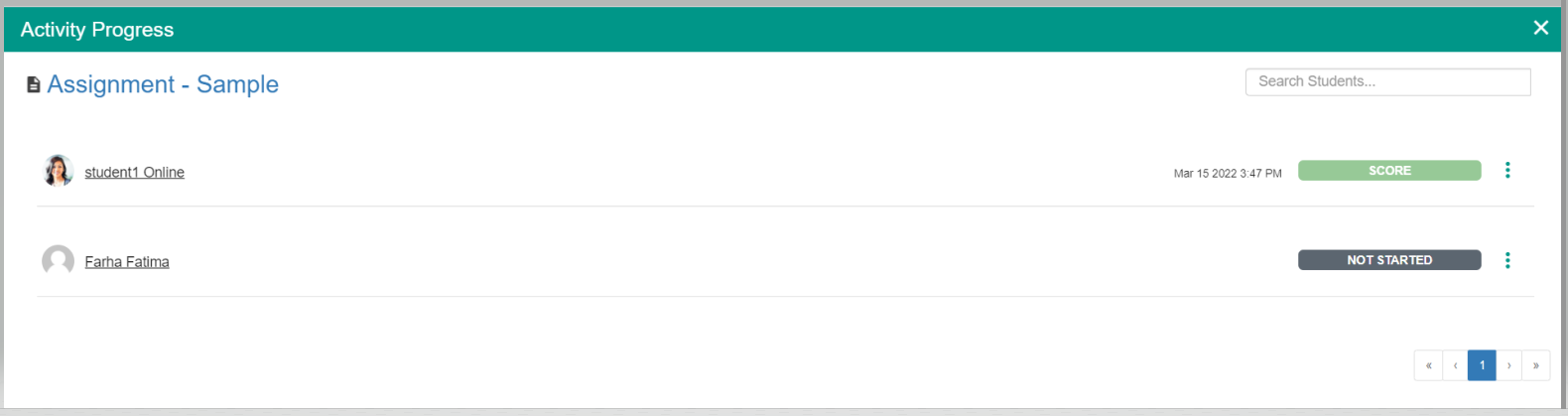
- You can click on the "Score" button to enter a valid score.
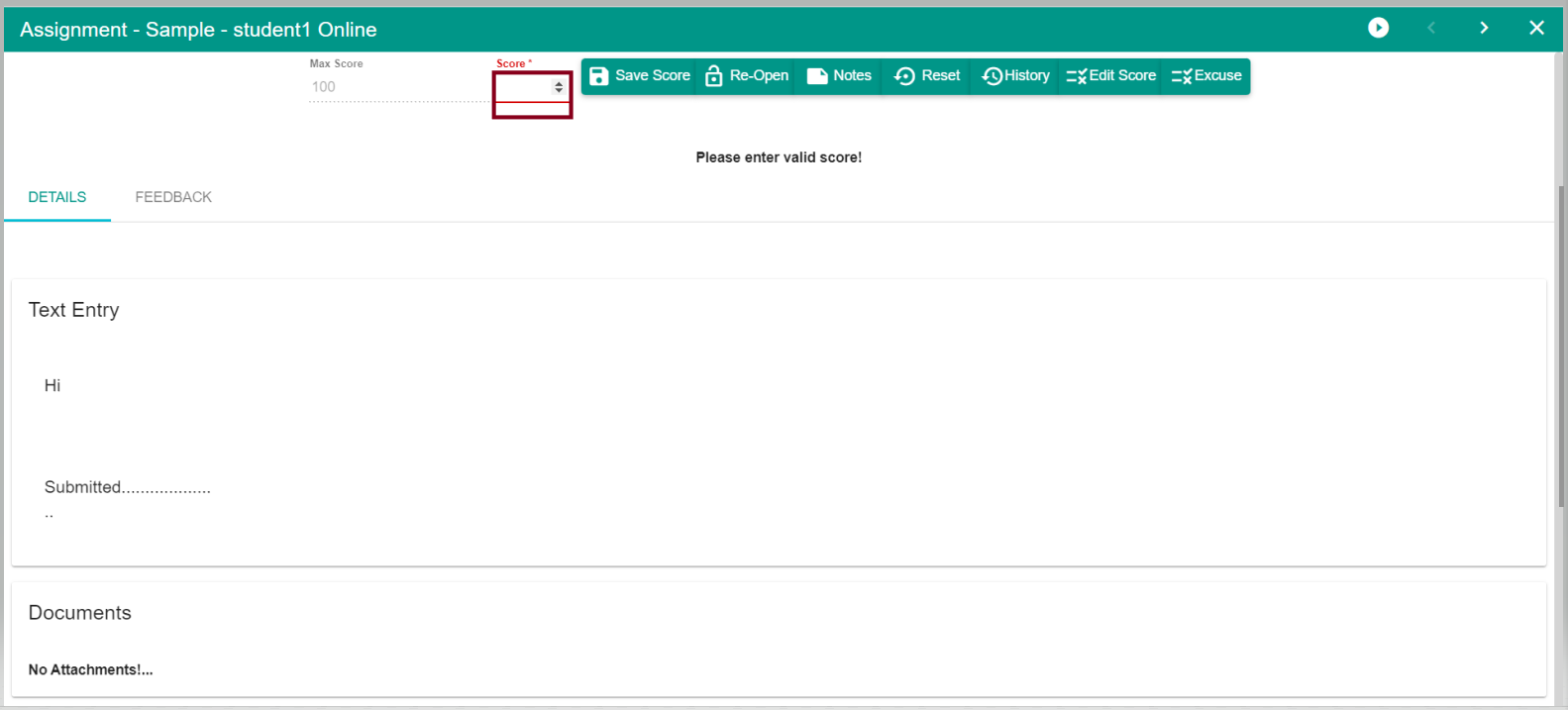
- Once the valid score is entered, the score can be saved and it gets added to the student report card.
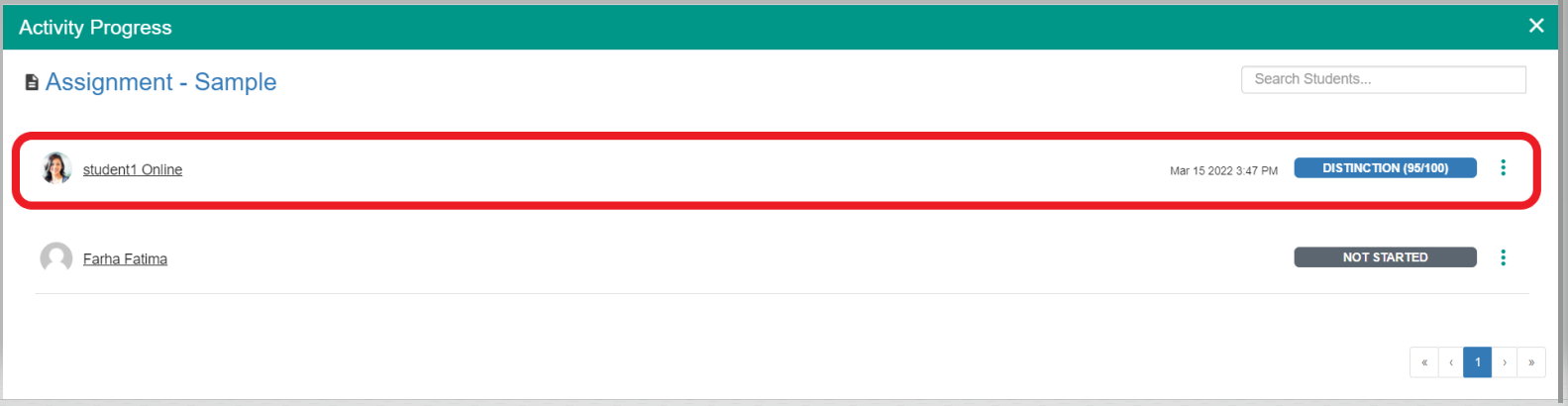
- You can also edit the scores by just clicking the colored bar and then saving them again or you can click the three dots beside the score of each student.
- You can reopen the activity by clicking the three dots(action button) for each activity which brings the drop-down to reopen the activity.
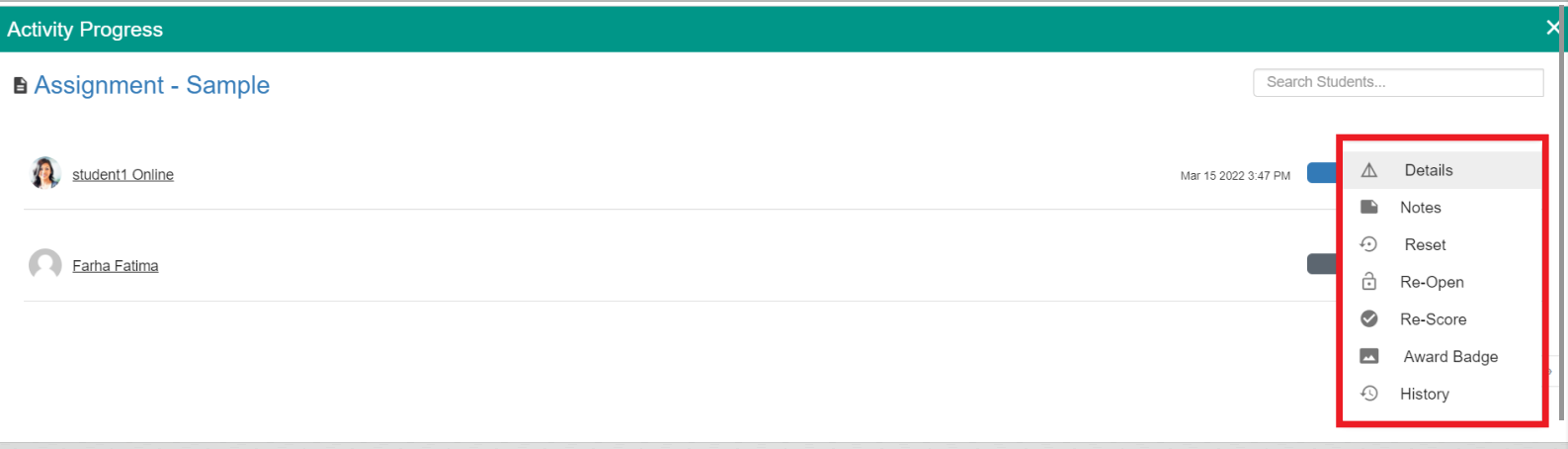
- You can edit, reopen, reset the activity by just selecting the action button.
Comments
0 comments
Please sign in to leave a comment.