
- Each unit has an icon with three dots (Action button) beside them.
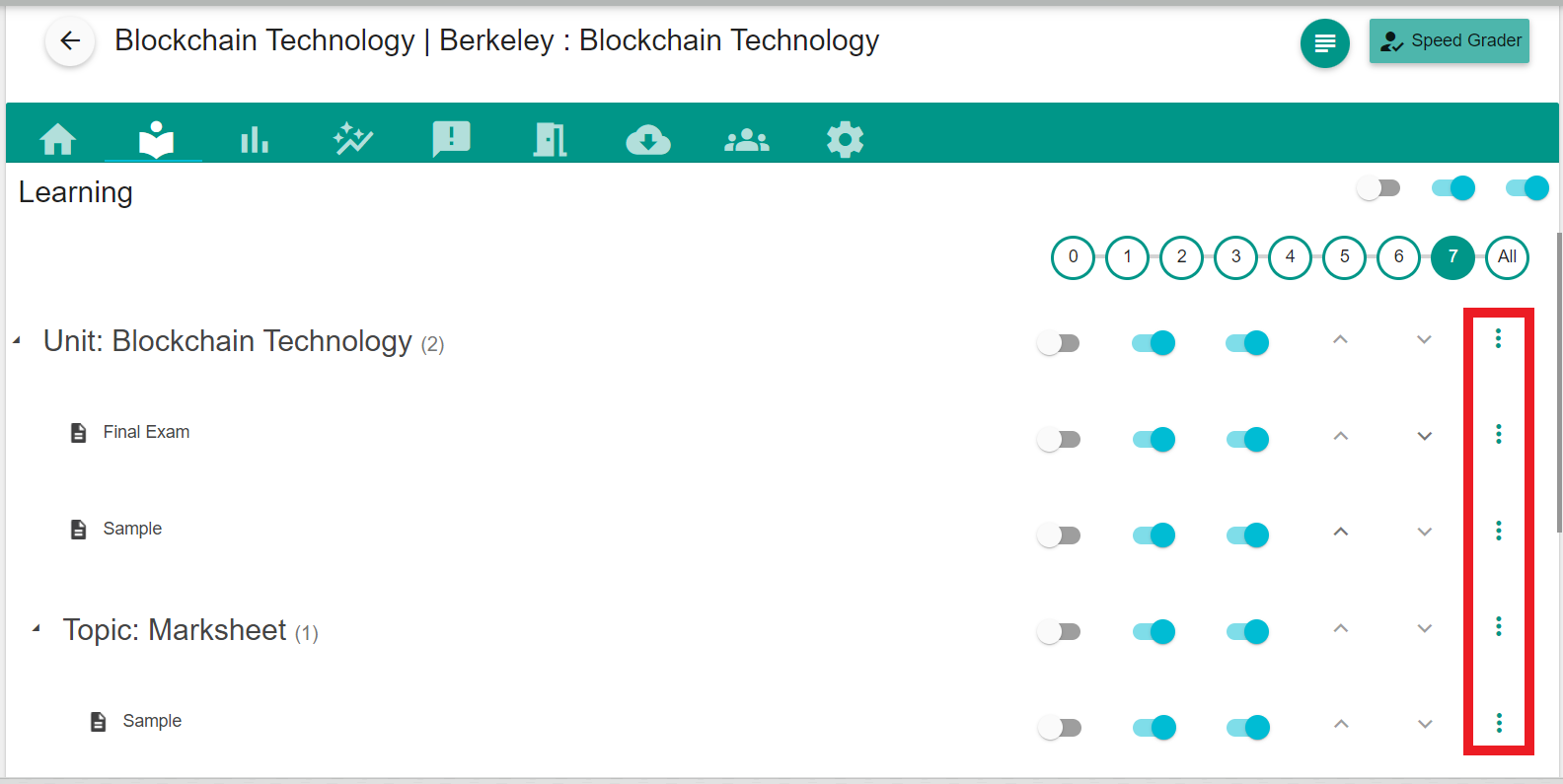
- You will see a drop-down list after clicking the action button.
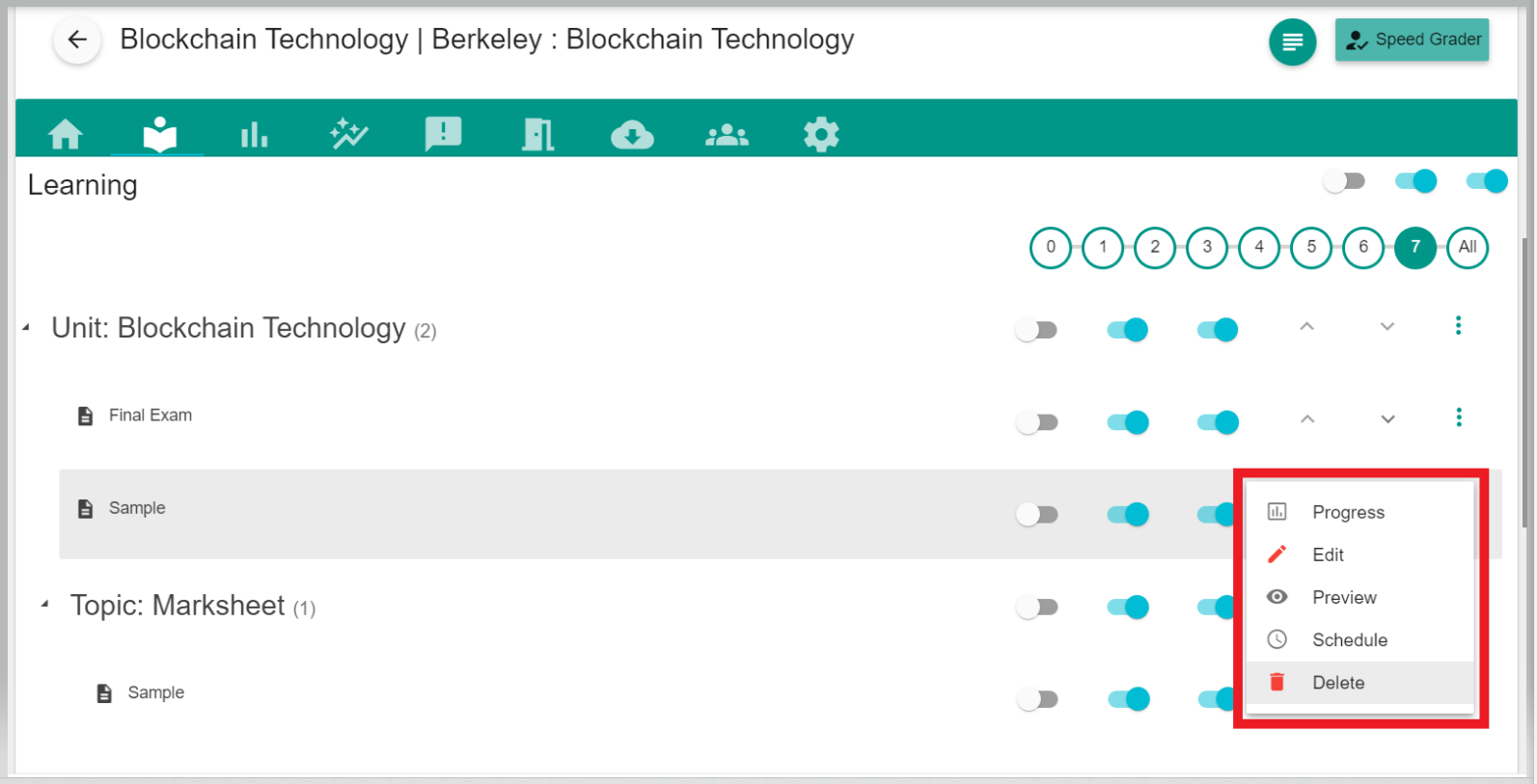
- The drop-down list will show an option called “Edit”.
- You can make necessary changes and click “Save” .
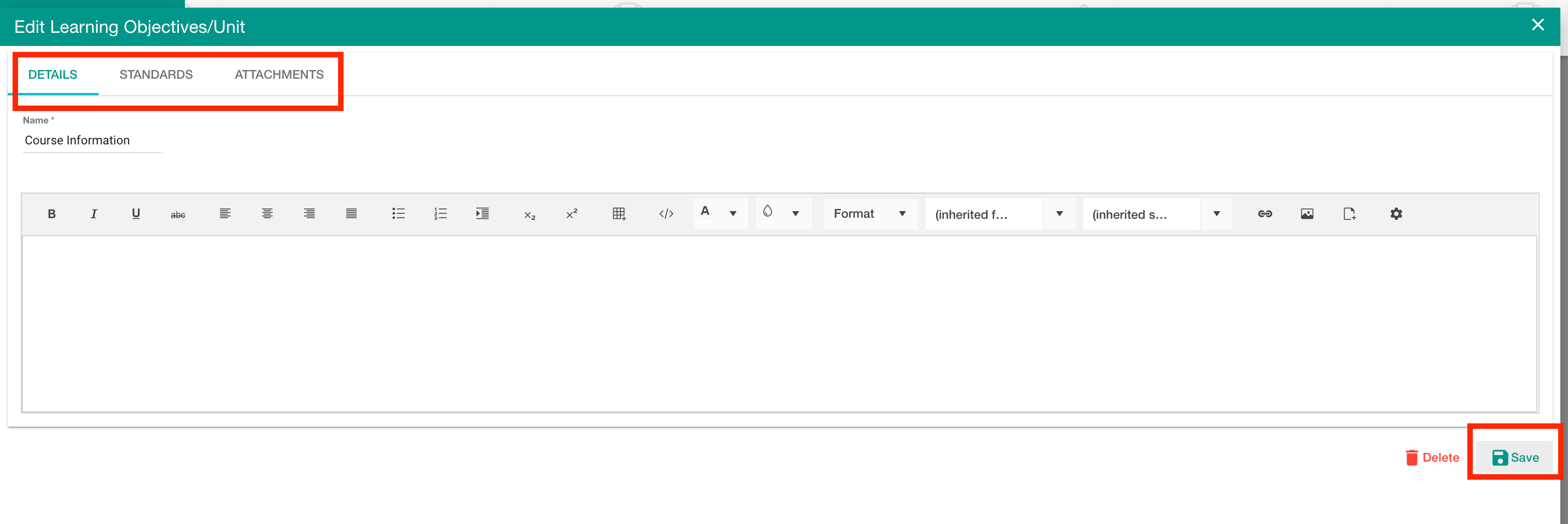
- The changes will be saved and you can publish those changes so that students will see the revised activity.
Comments
0 comments
Please sign in to leave a comment.