
- To Issue/Award Certificates, Badges, and QR Codes to the Students, select the ‘Learning Tree’ tab on the left side of the page and then click on the 'Speed Grader' Tab.
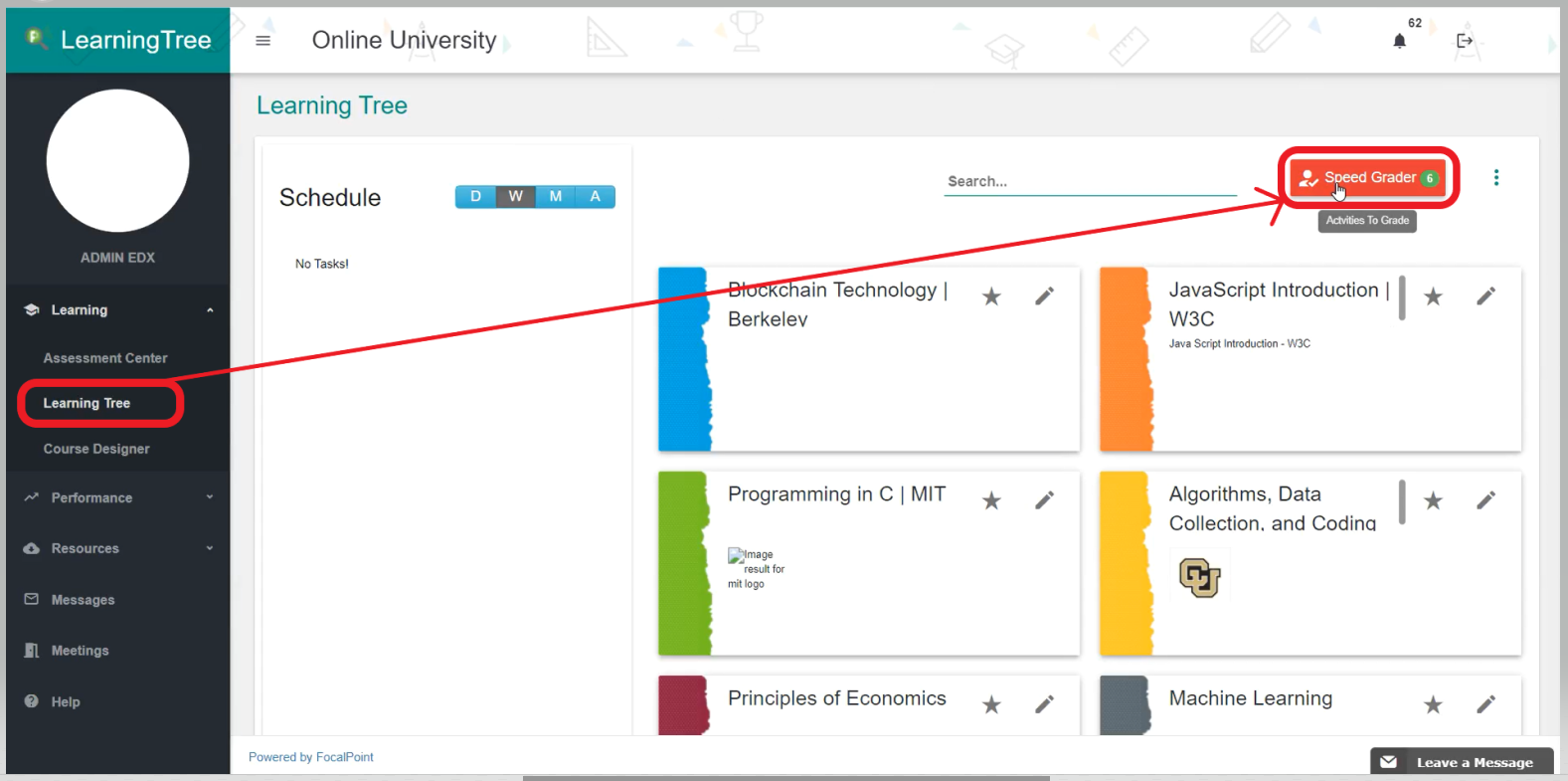
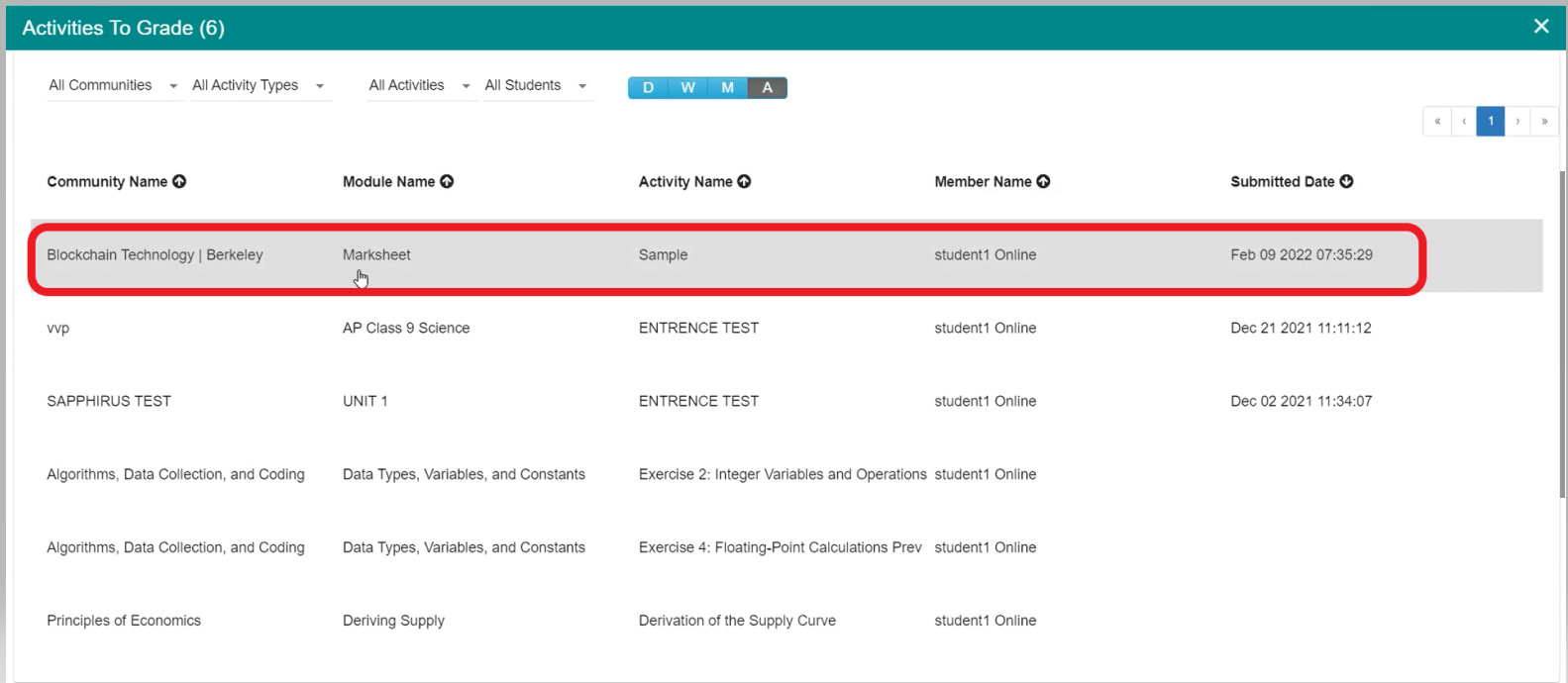
- Once, you click on the Speed Grader tab you can able to see all the activities to grade. Select any one of the activities that you want to grade as shown below.
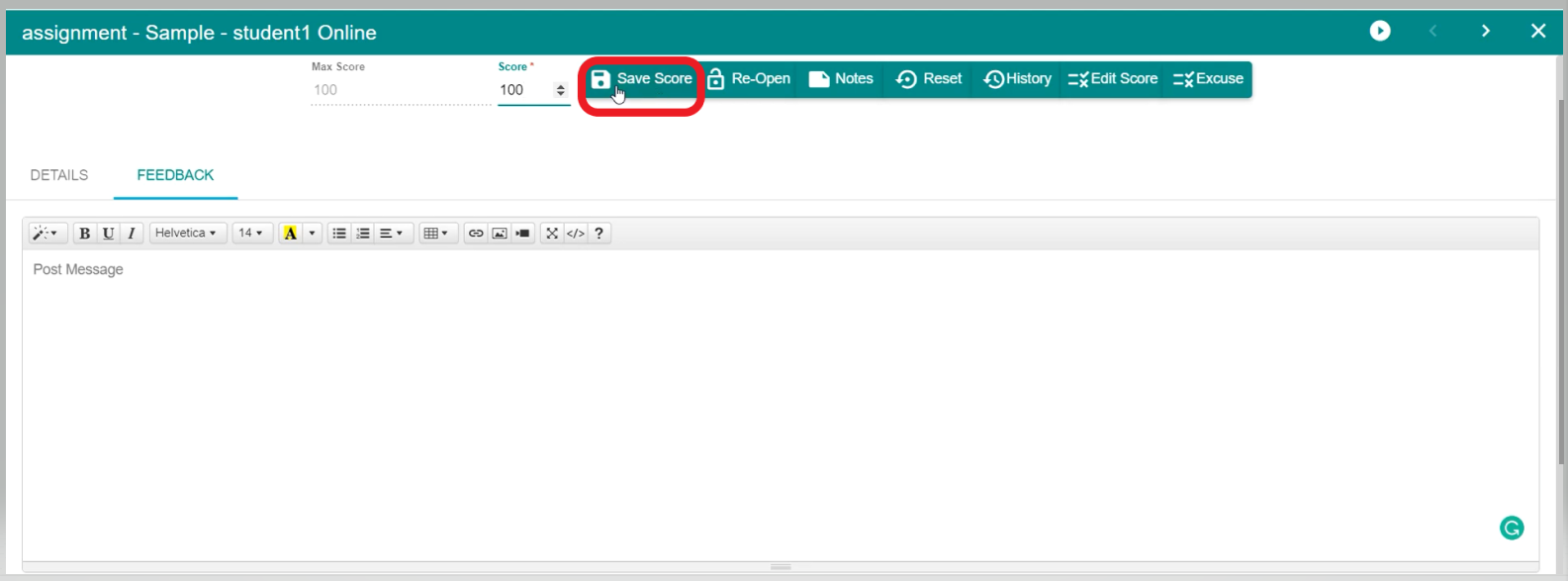
- After selecting the activity, check the student response, and based on it you can give the score as shown below.
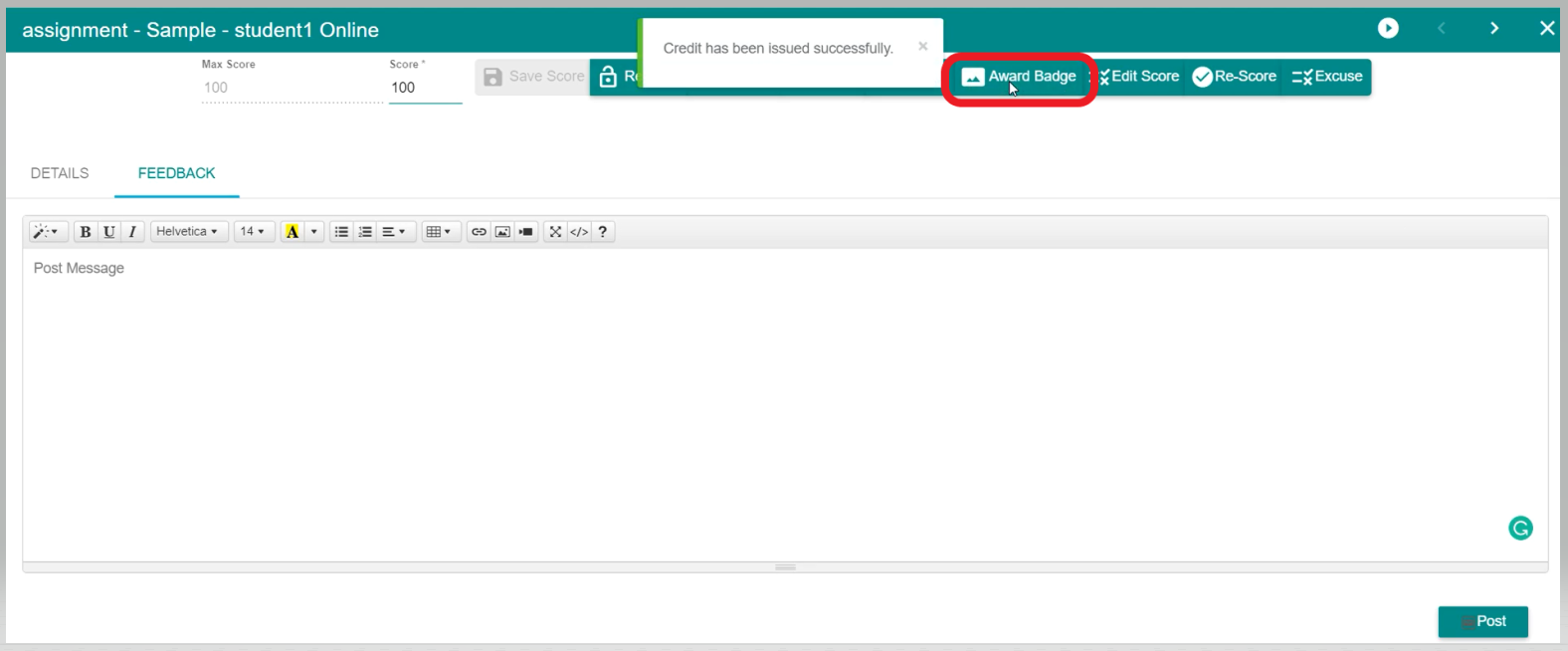
- Once you have given the score, then you can able to see the tab of 'Award Badge', just click on it to Issue/Award Certificate, Badge, and QR Code to the Student.
Comments
0 comments
Please sign in to leave a comment.