
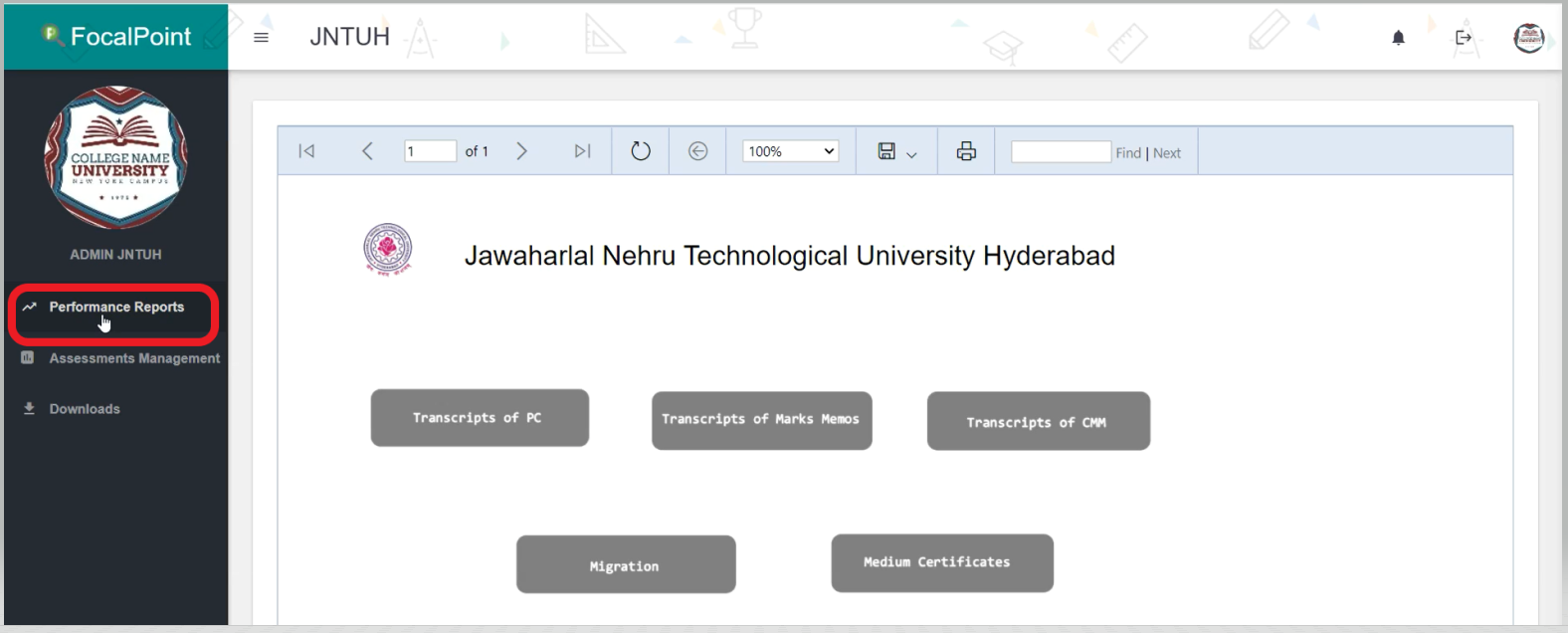
- To download the Individual Students Performance Reports, select the ‘Performance Reports’ tab on the left side of the page.
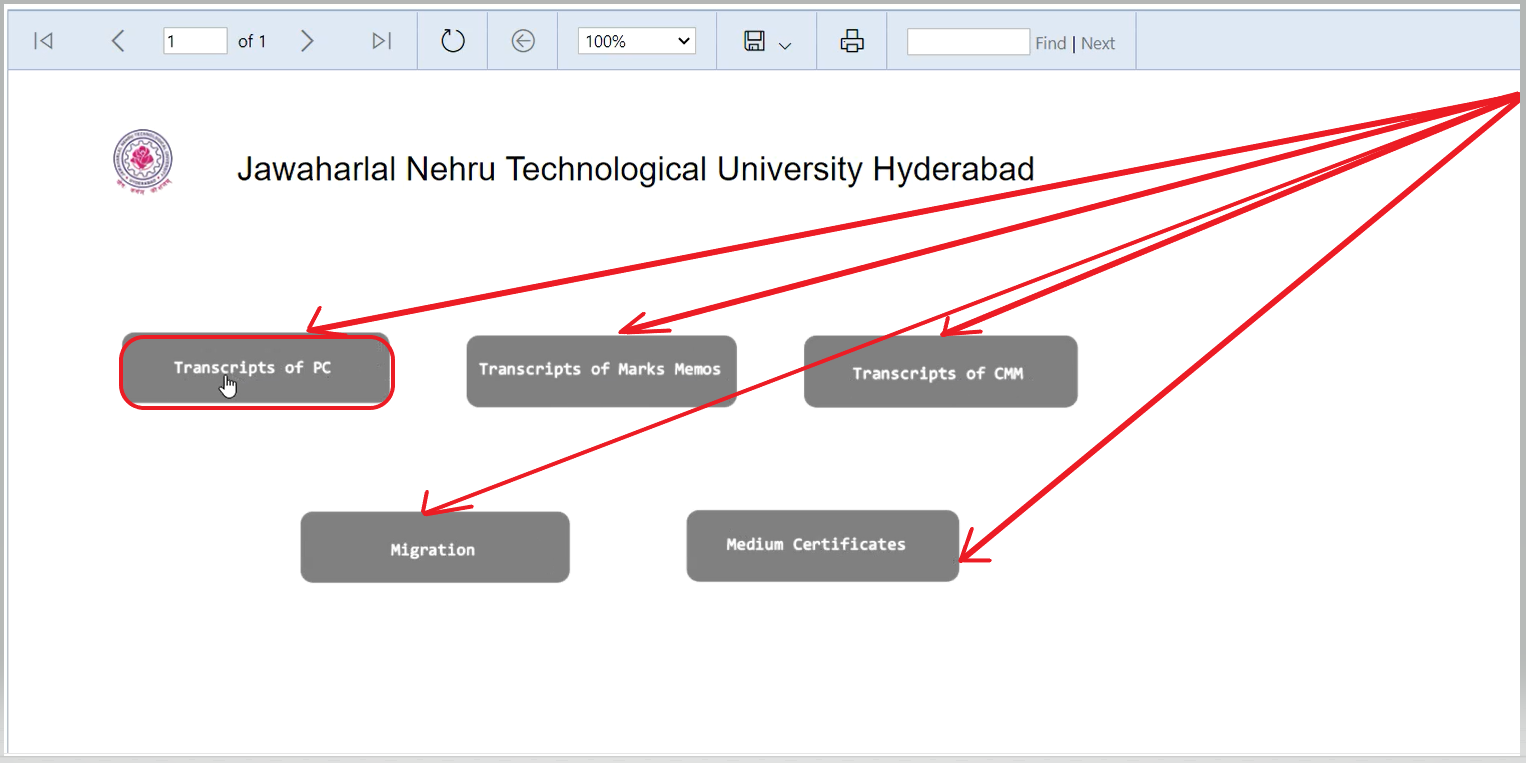
- Then, select the type of Certificate/Report that you like to download.
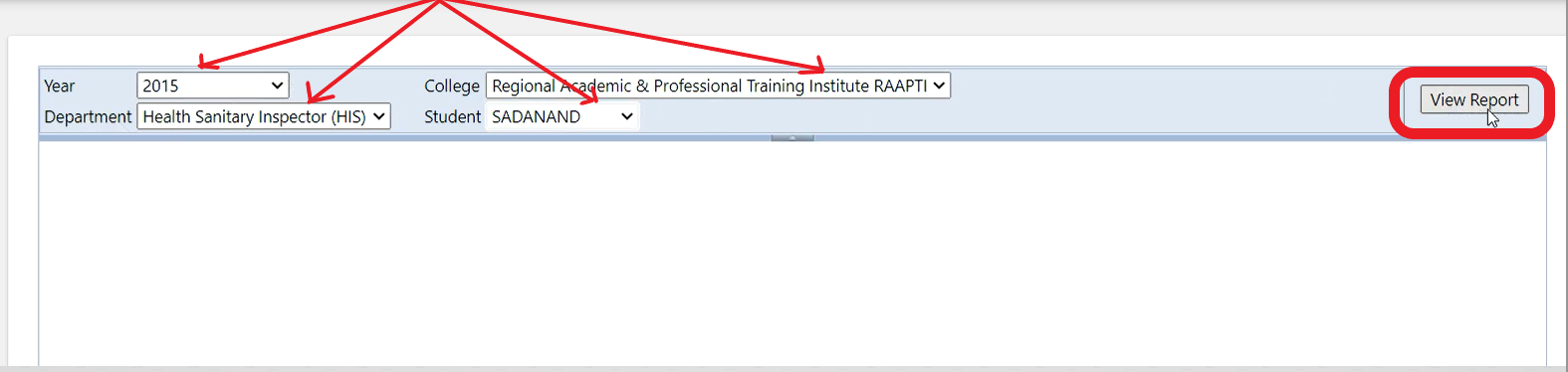
- Now, select all the options such as the year, name of college, department, student, and then click on the 'View Report' tab.
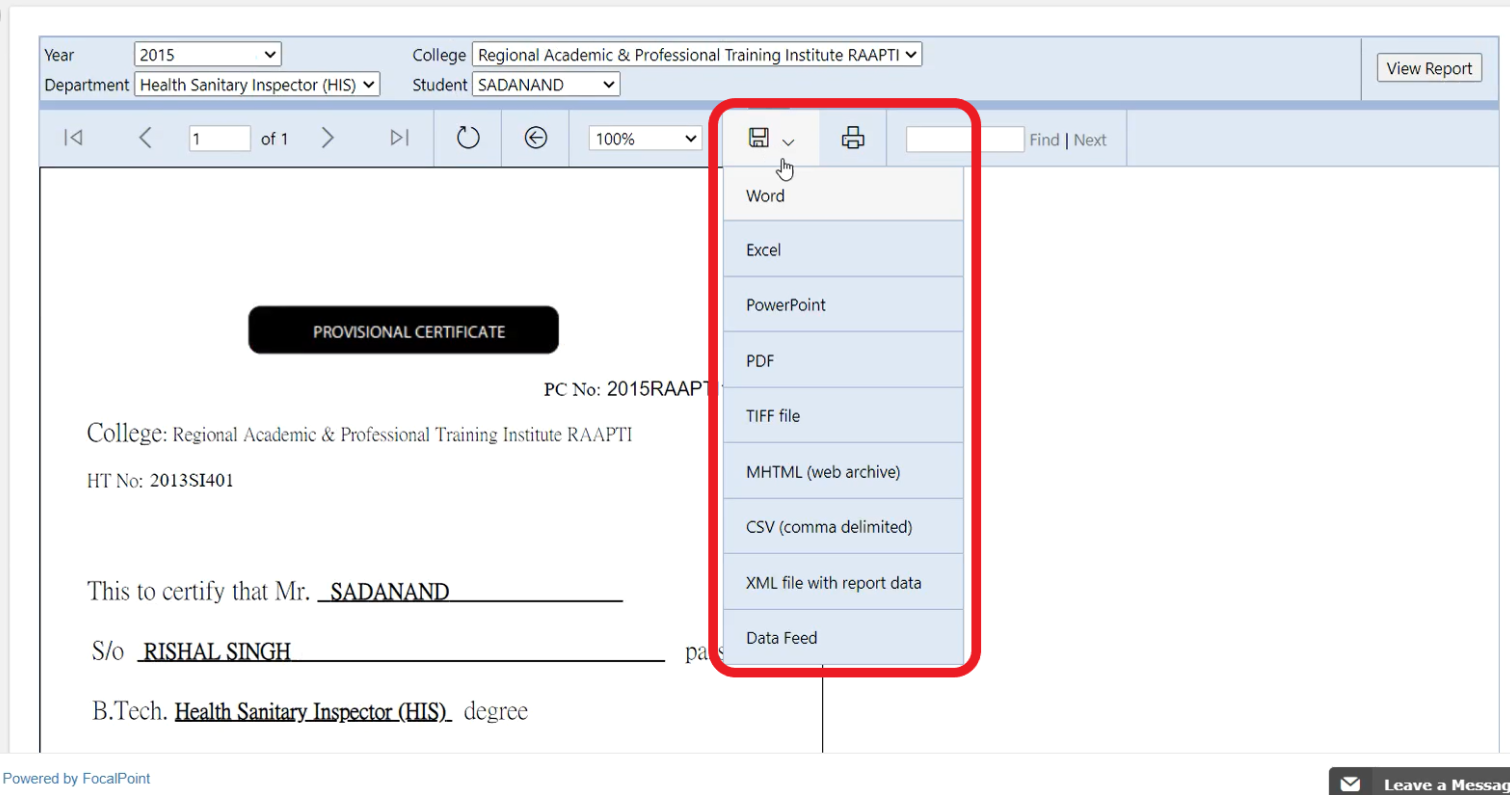
- Now, you can view the Certificate and able to download it in the following formats as shown in the below image.
Comments
0 comments
Please sign in to leave a comment.