
- To upload the details to generate Digital Certificates, Badges, and QR Codes, select the ‘Assessments Management’ tab on the left side of the page.

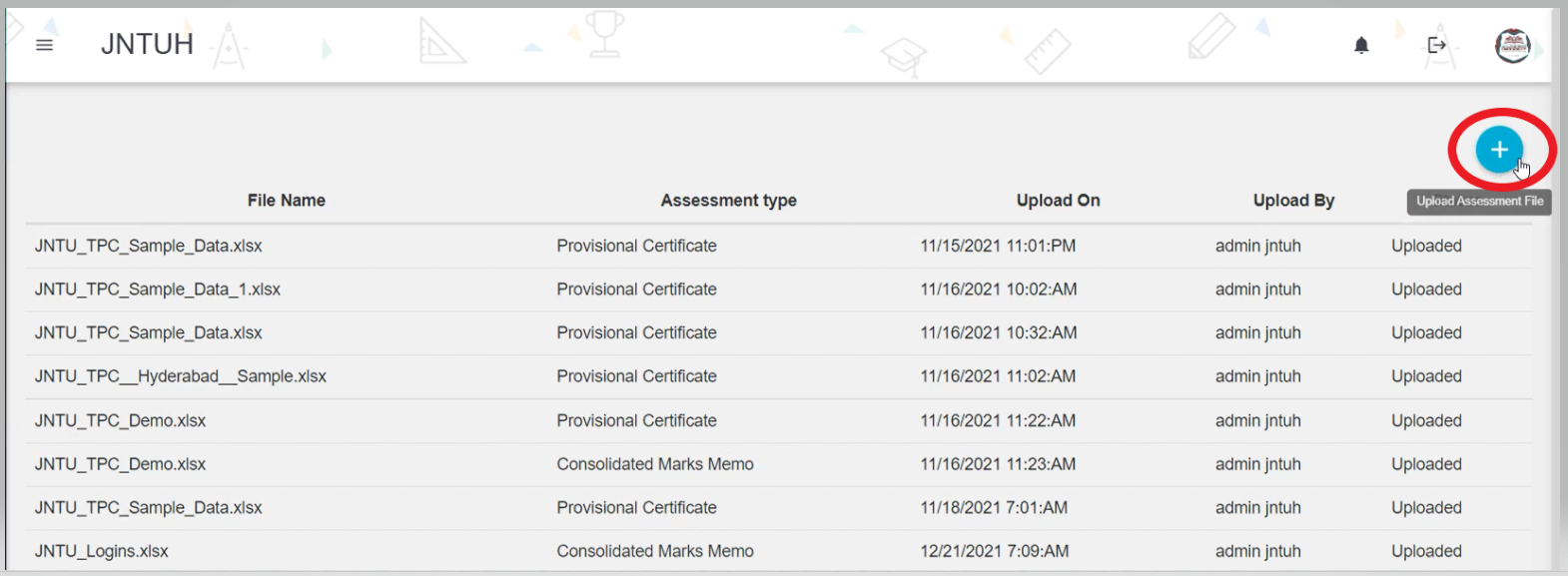
- Click on the 'Upload Assessment' button, to upload the details of certificates by selecting the '+' as shown below.
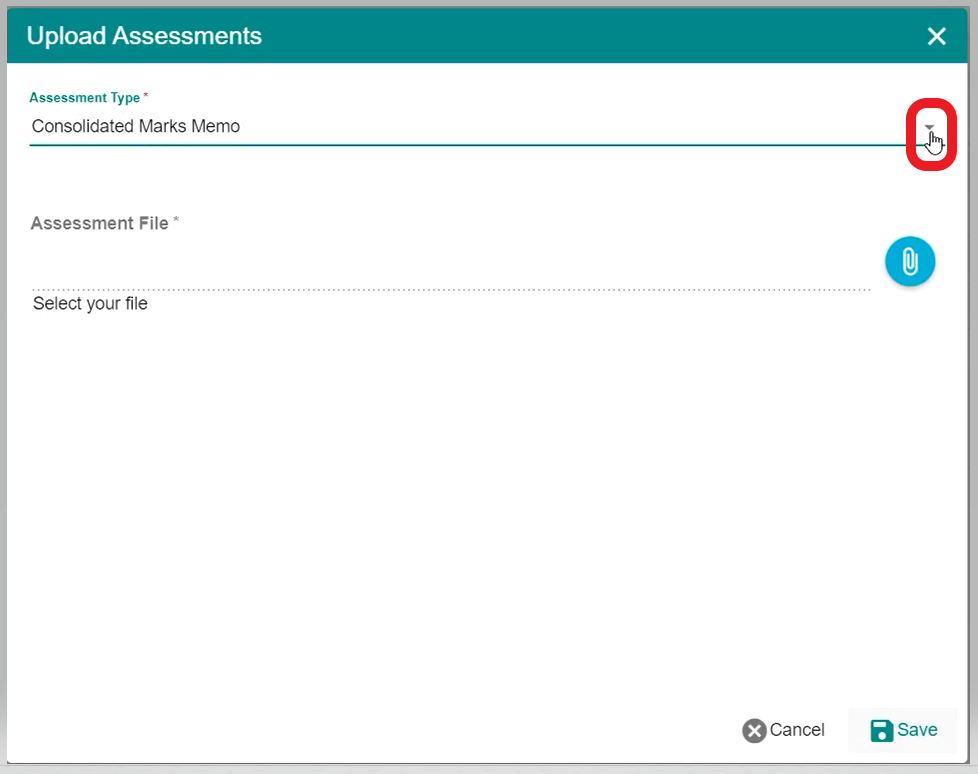
- Select the type of Assessment File such as CMM, MM or PC, etc by clicking on the dropdown right side of the Assessment Type.
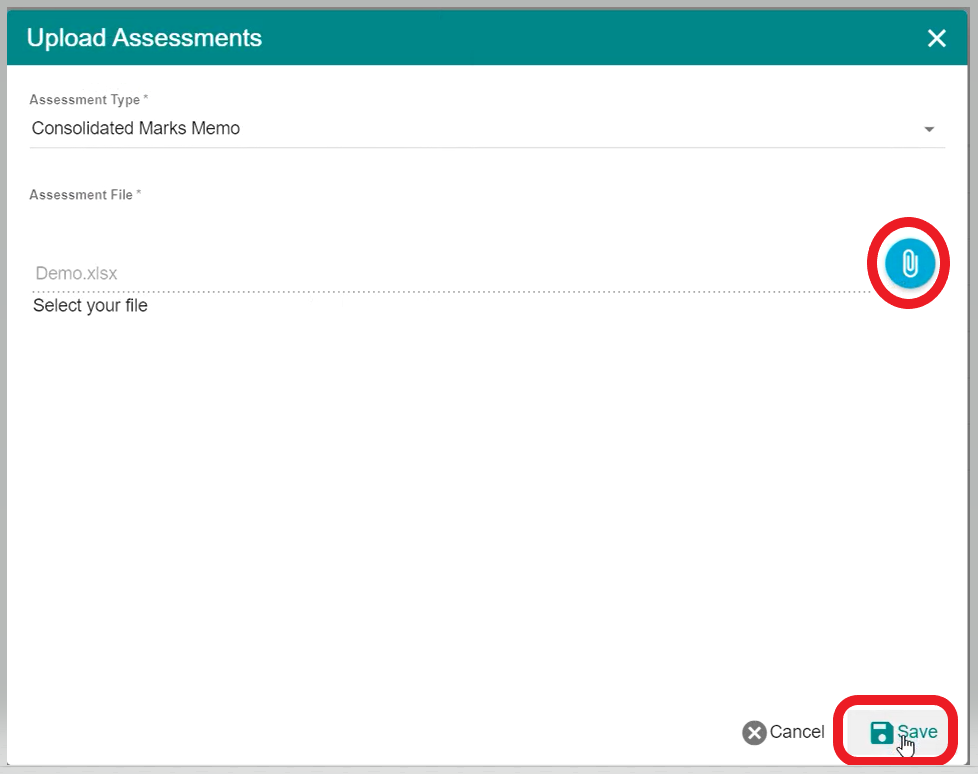
- Click on the 'Attach File' button to upload the excel file which has the details of the certificate and click on the 'Save' button.
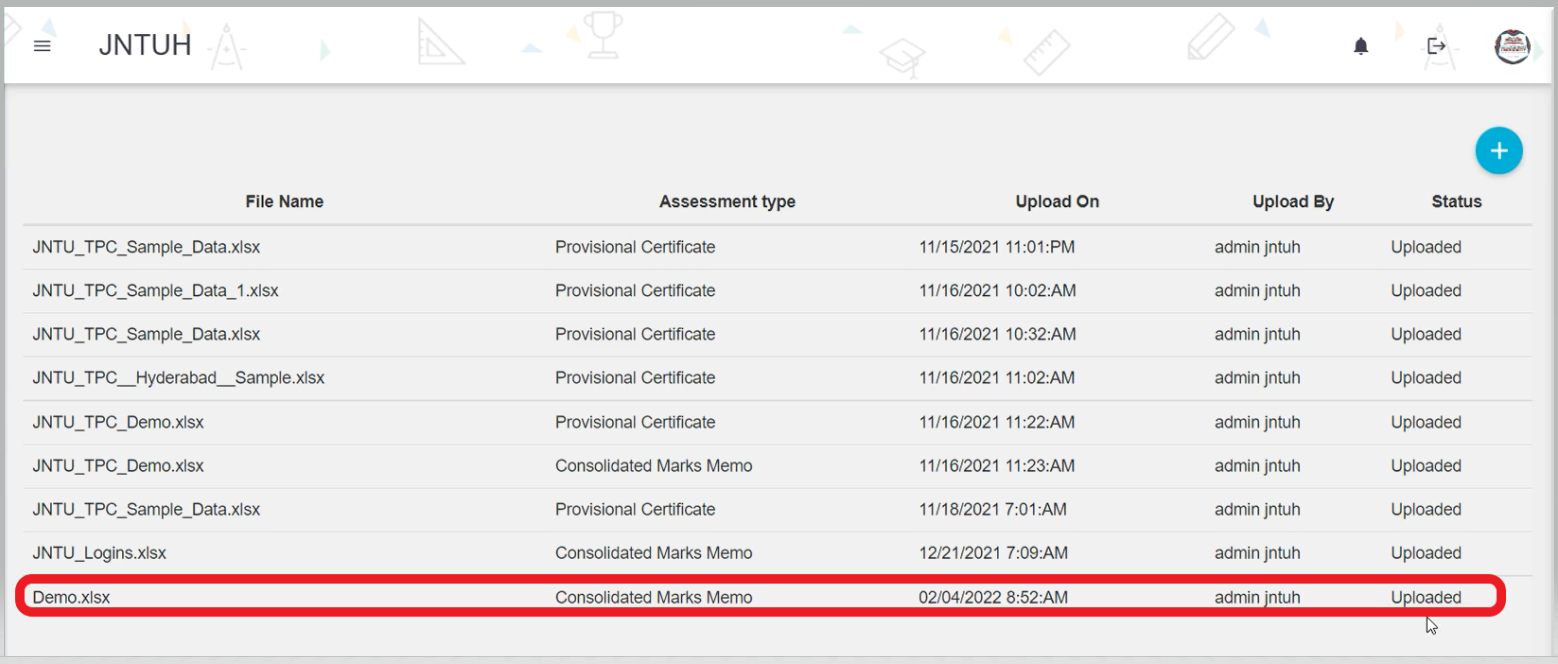
- Then, you can able to see the details of the file along with the Status of the file as shown below.
Comments
0 comments
Please sign in to leave a comment.