
Once you create the new community like shown in the link below -
How To Create A New Virtual Community? – LearningTree (zendesk.com)
- You should now be able to create your virtual course and add content to it.
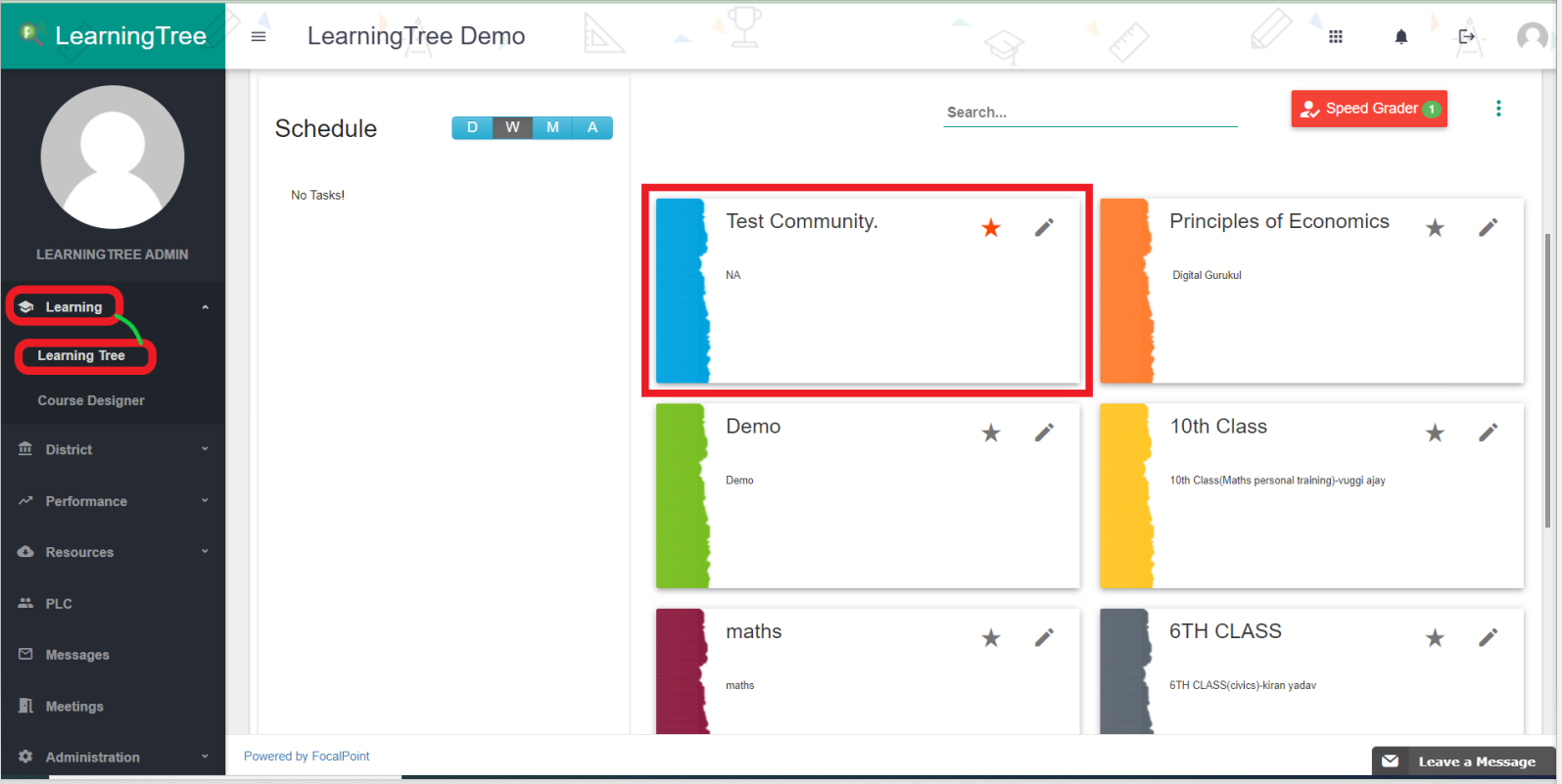
- First, select the community that you have created.
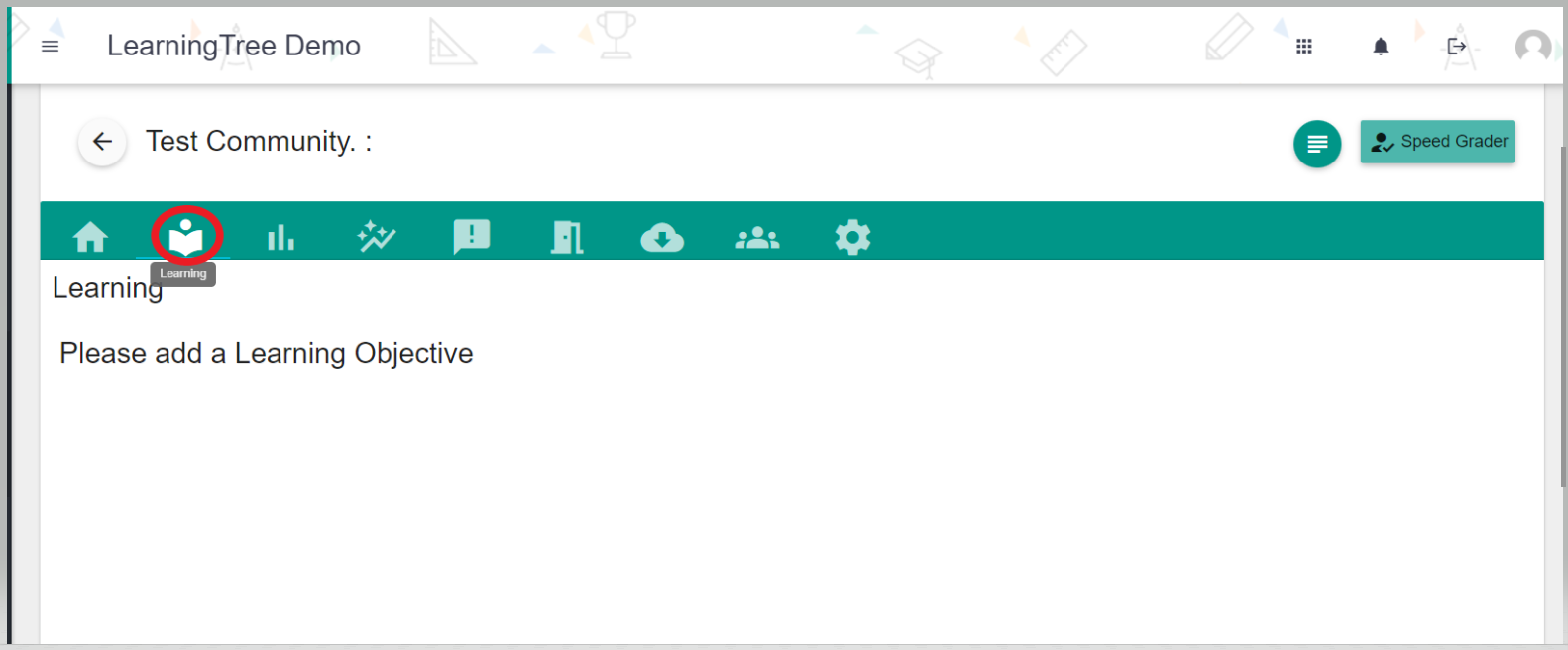
- Inside the community, select the "Learning" tab from the above tabs listed.
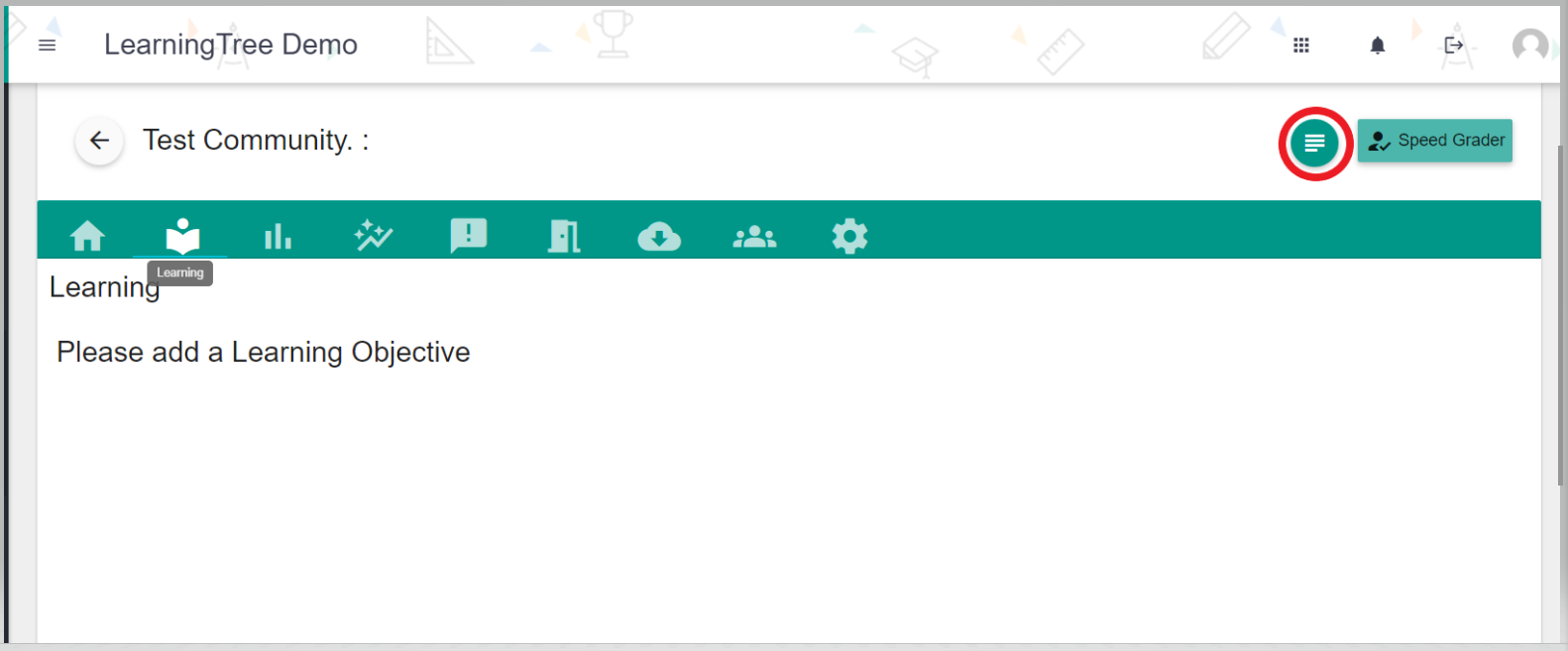
- Add the new Learning Objective to create the new virtual course.
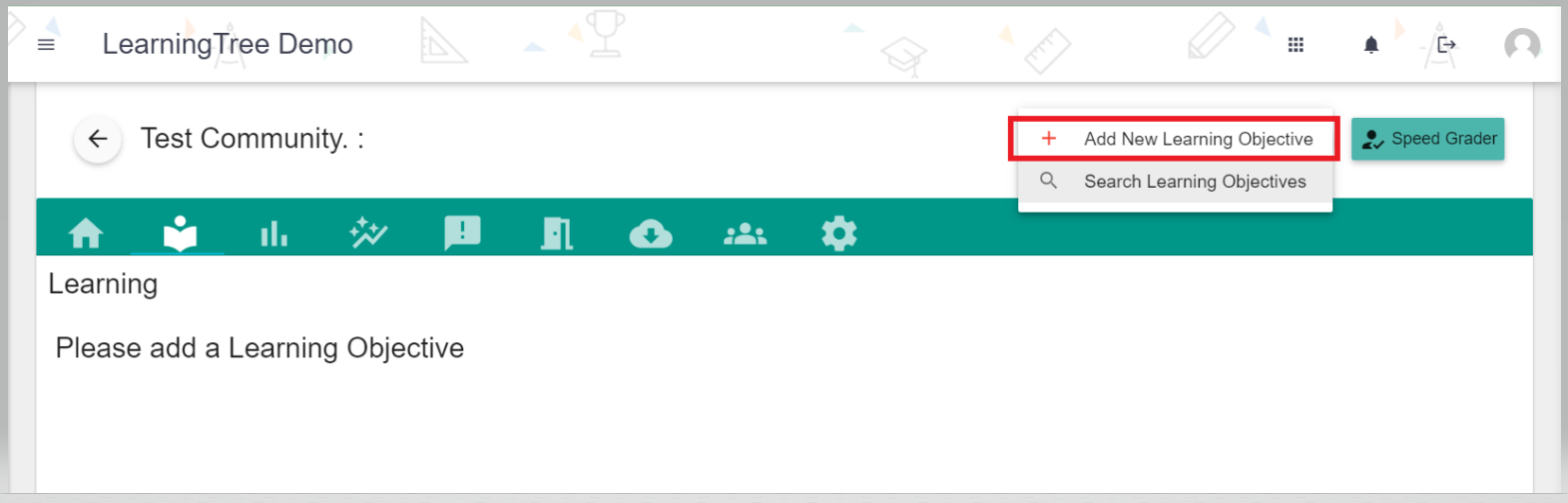
- Once you click the "Add Learning Objective" provide the Name, Description to save the Learning Objective.
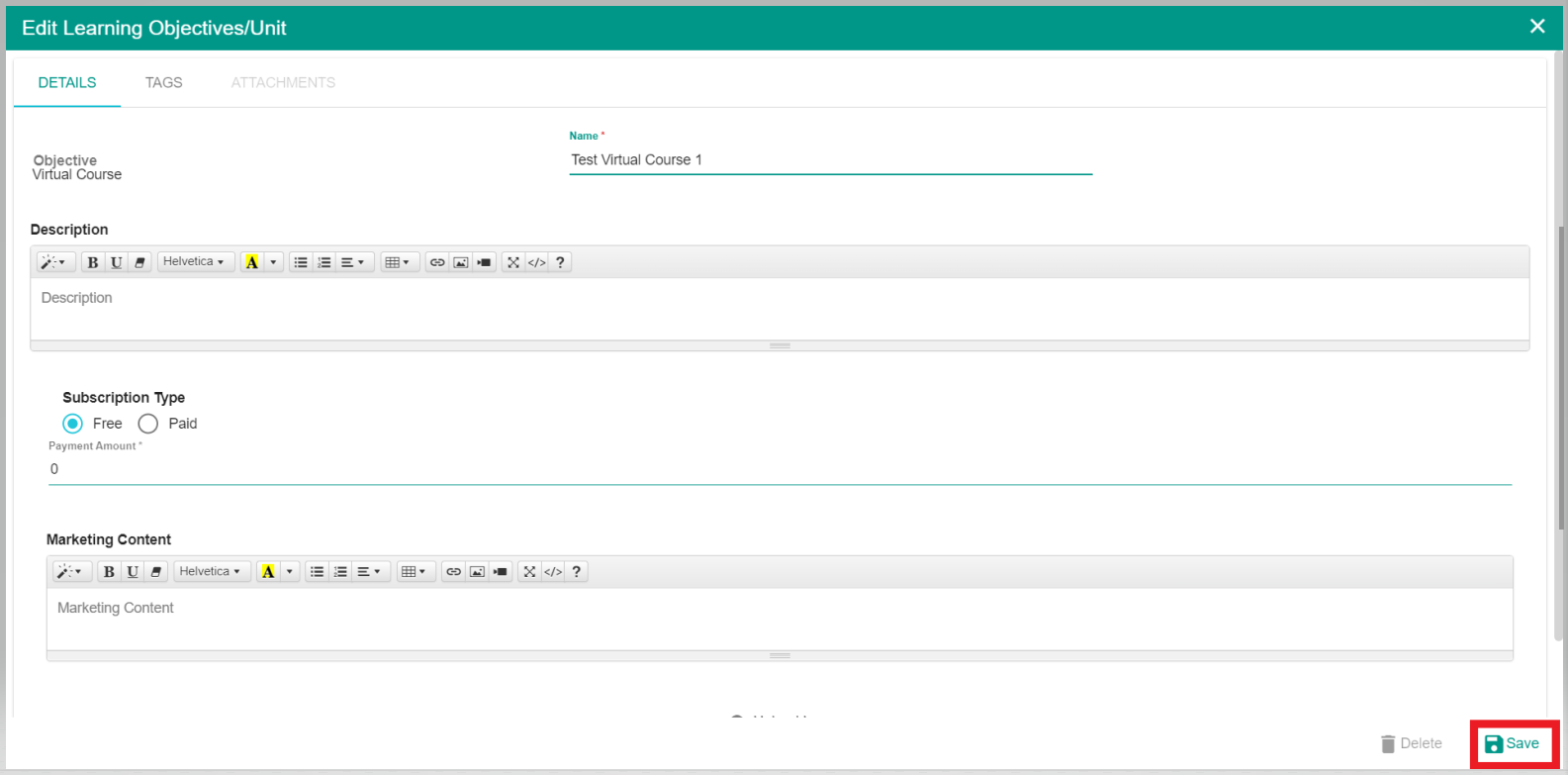
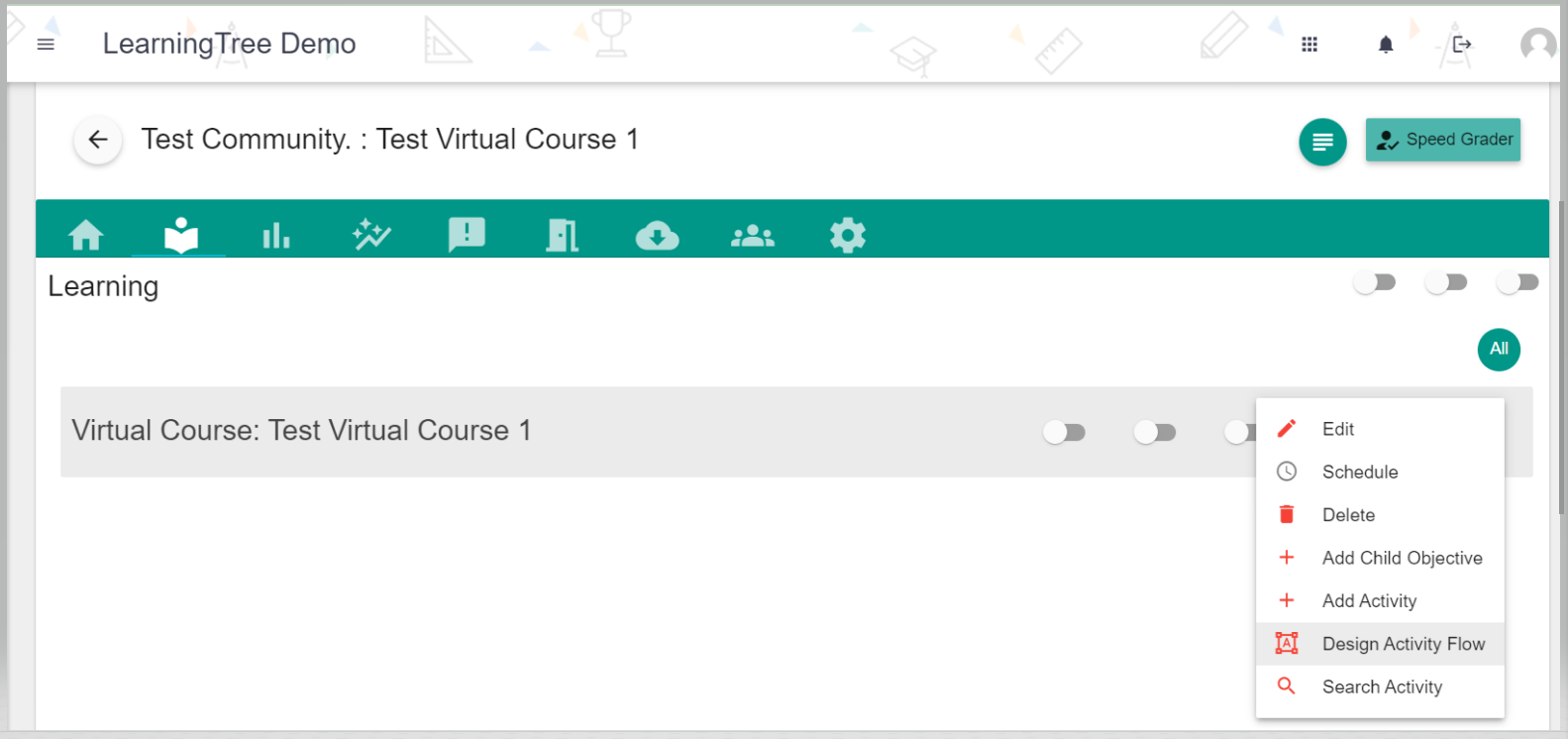
- Once the Virtual Course is created, you can add all Child objectives, Units, and Activities to the course.
Comments
0 comments
Please sign in to leave a comment.