
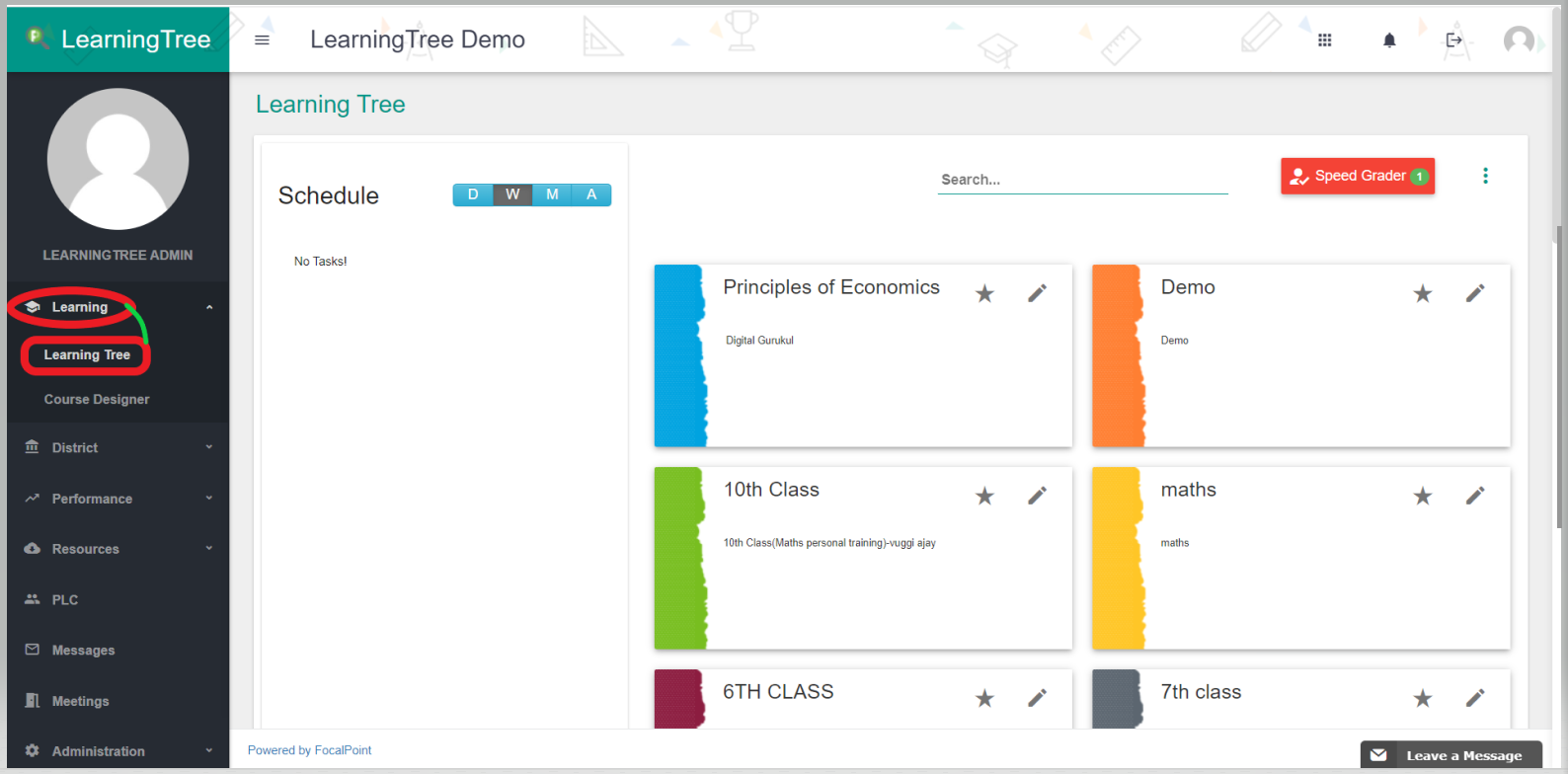
- Login to your LearningTree account.
- Choose the 'Learning Tree' option from the Learning menu on the left.
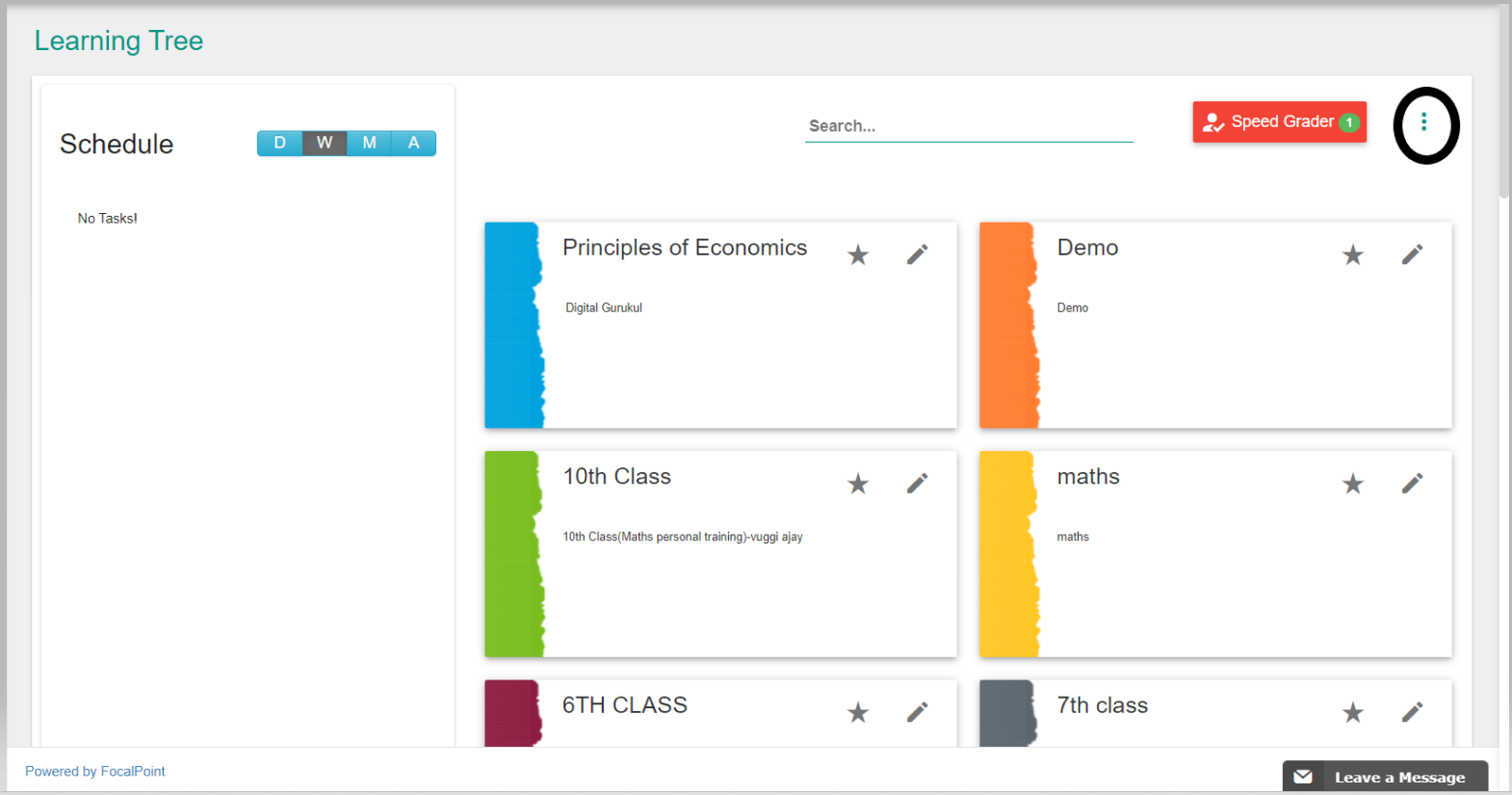
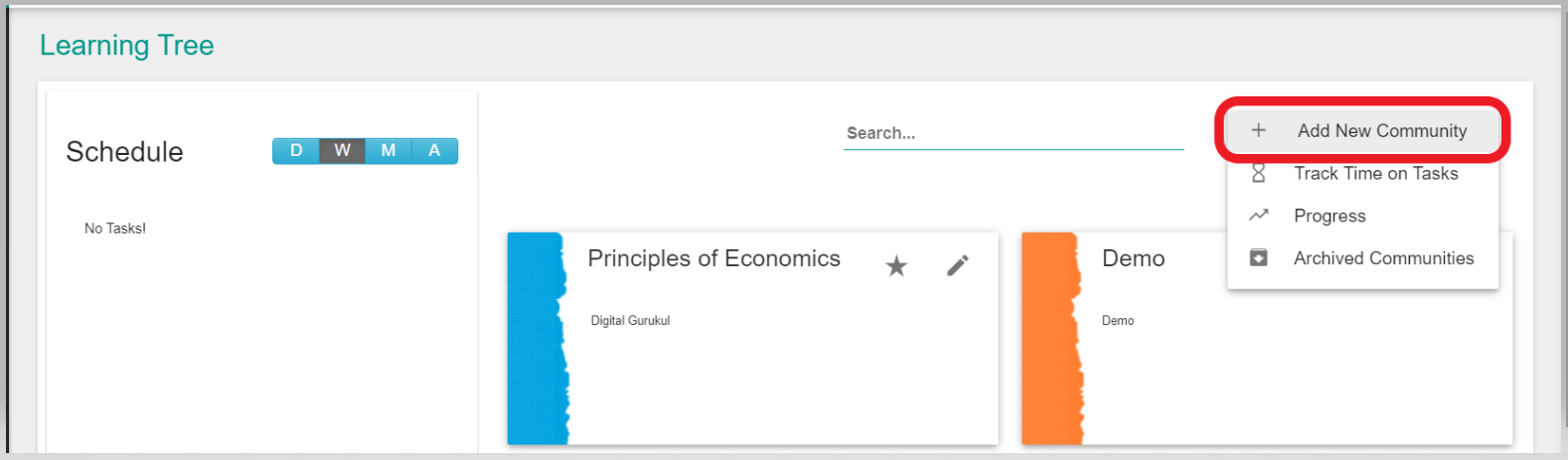
3. You should see a page like shown below select the 3-dot menu icon where you would be "Adding a New Community".
4. Please select "Virtual Community" as Community Type and provide Name and Description to save it.
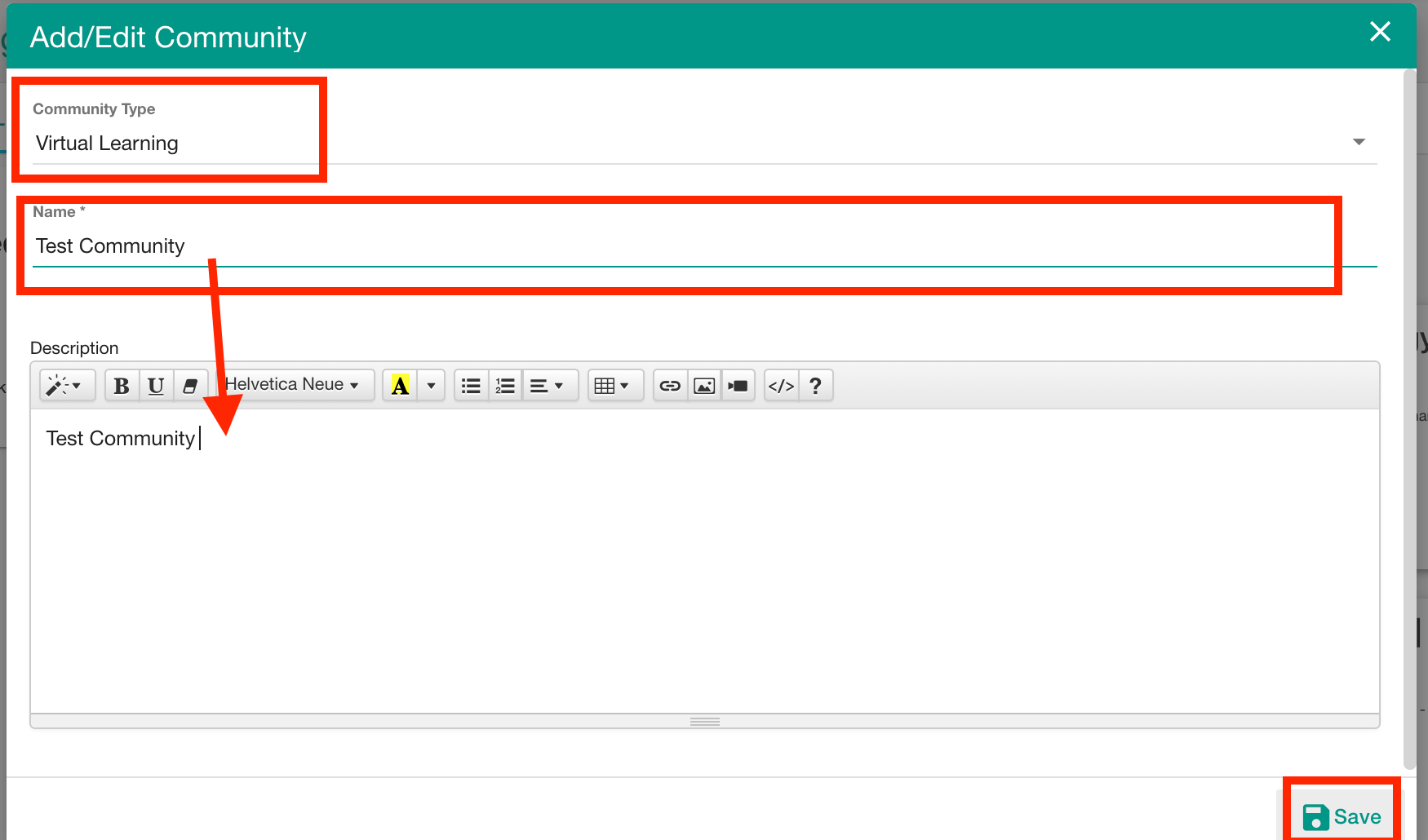
5. Once you save it, a new community is created.
Comments
0 comments
Please sign in to leave a comment.