
Comment :
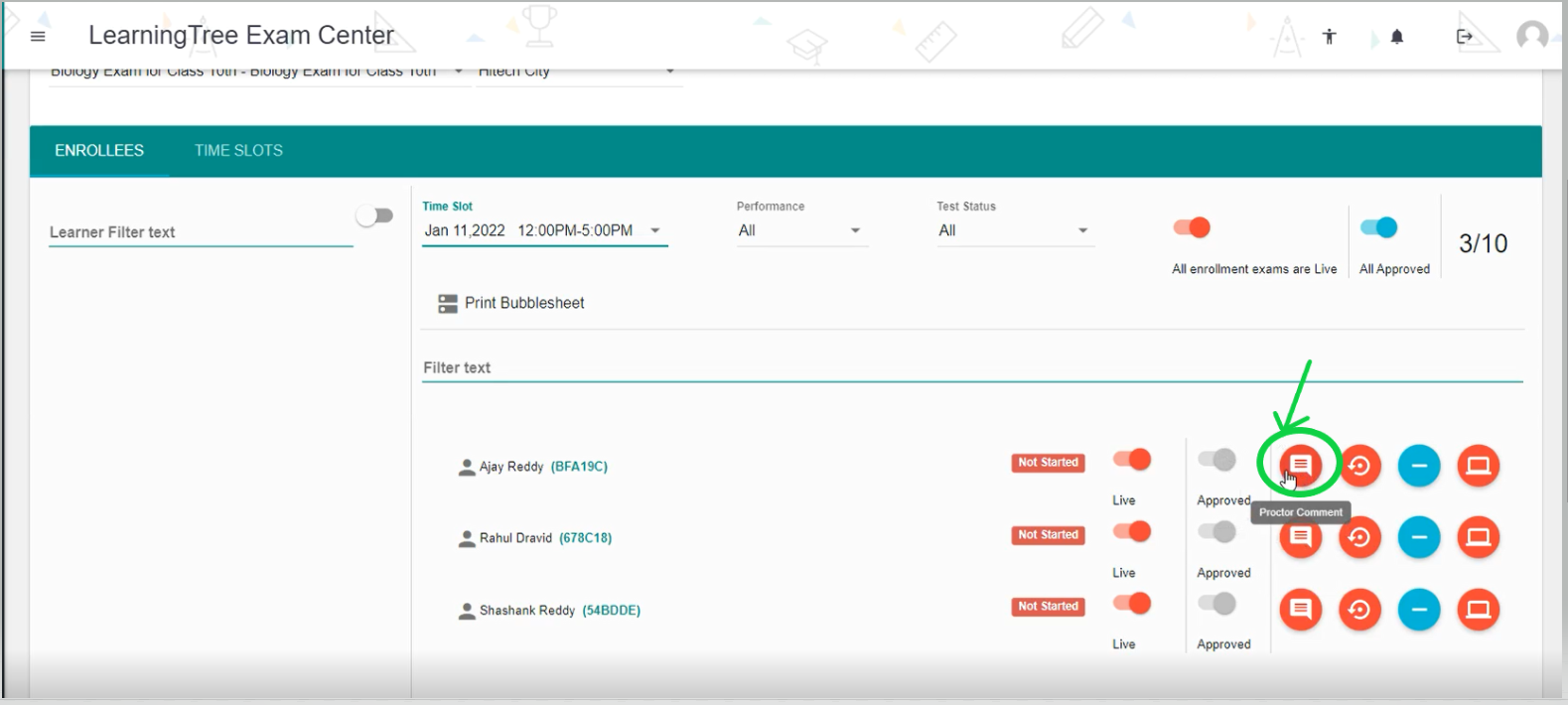
- Click on the 'Comment' button as shown below.
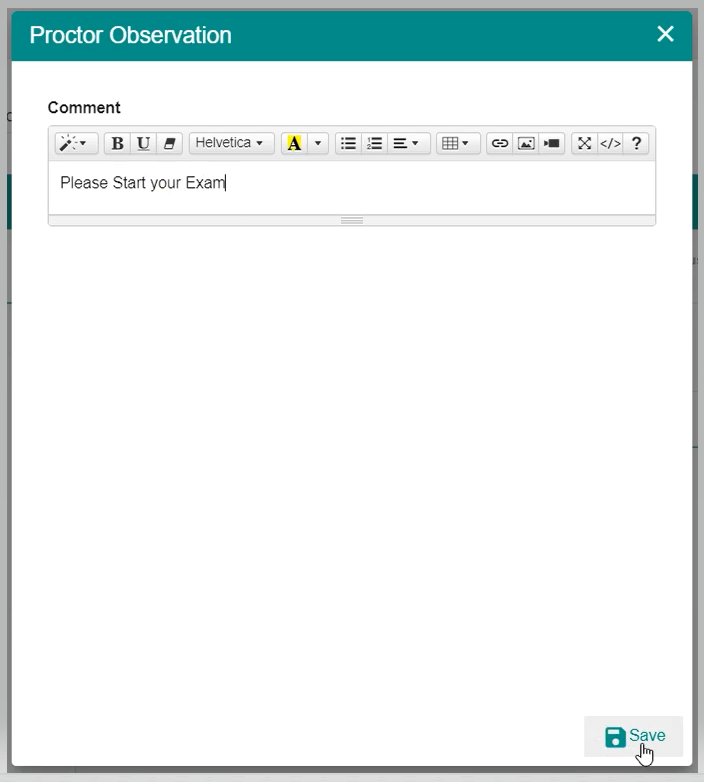
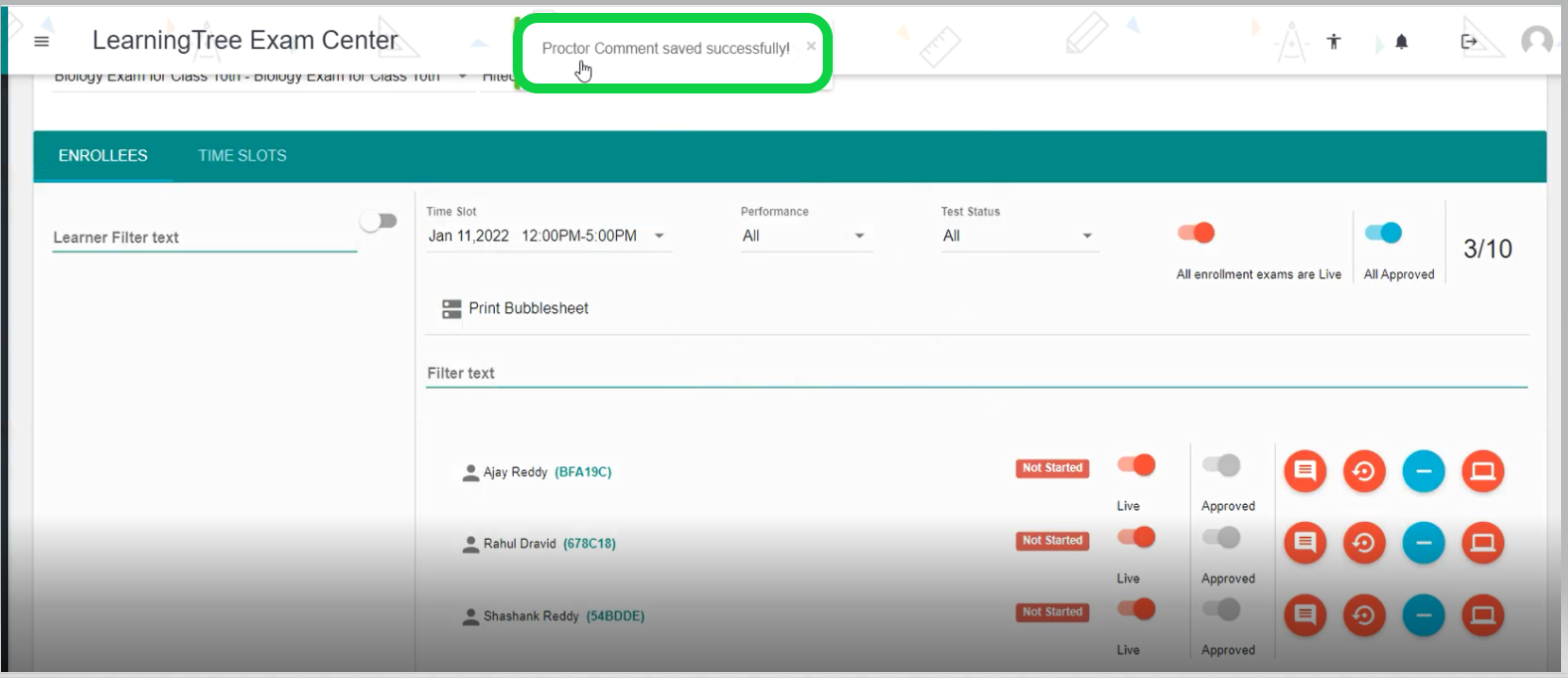
- Then type the comment in the 'Proctor Observation' page and click on the 'Save' button in order to send any comments/ messages to Exam Takers/Students.
Reset :
- Click on the 'Reset' button as shown below in order to reset the Exam Token.
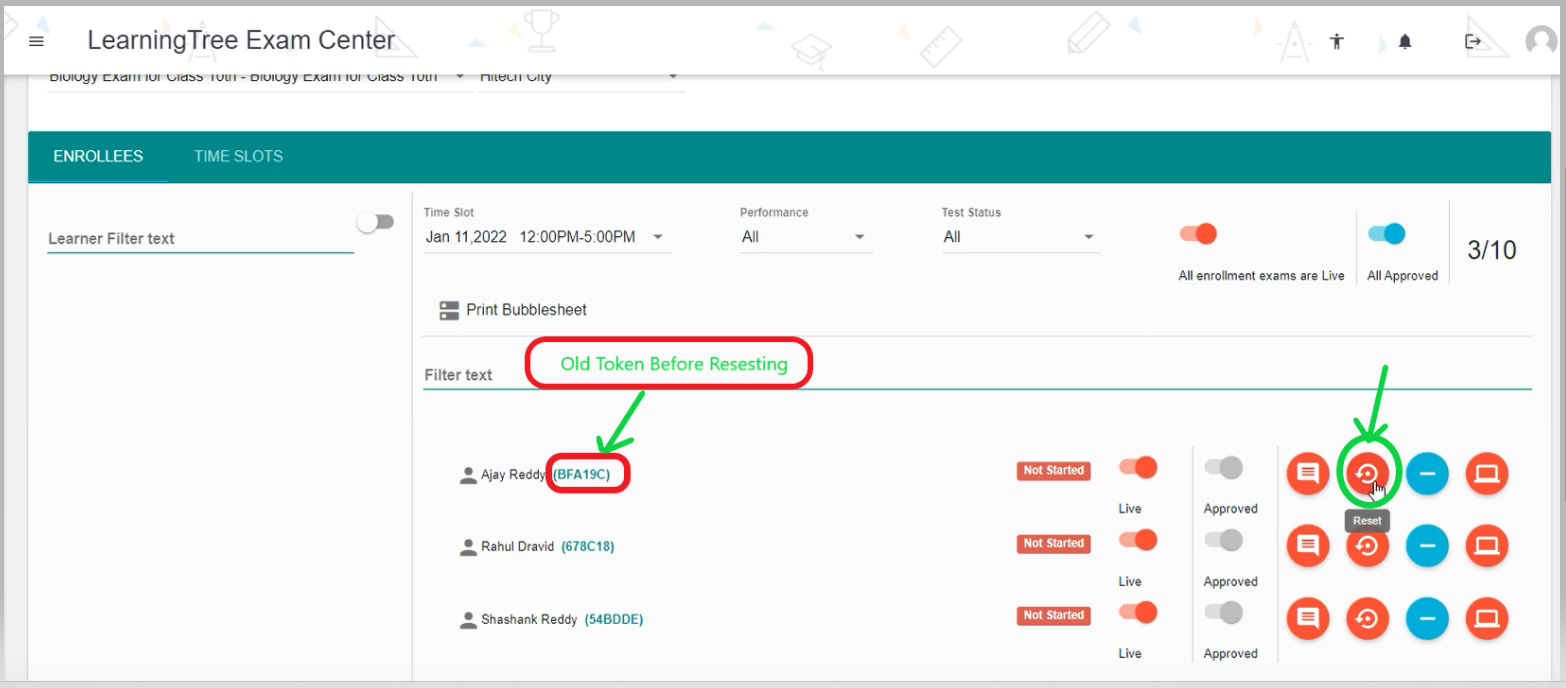
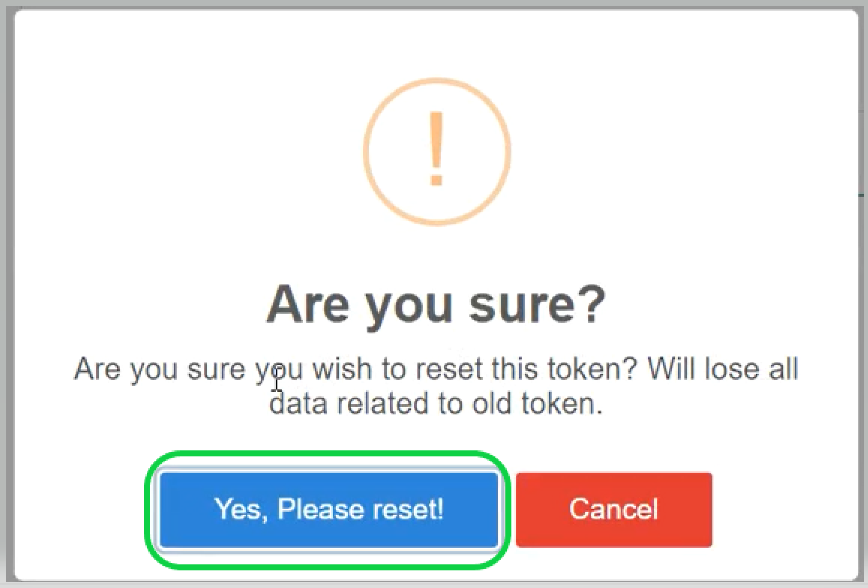
- Once, you click on the 'Reset' button you will get a confirmation popup page where you need to confirm it by clicking on 'Yes Please Confirm it'.
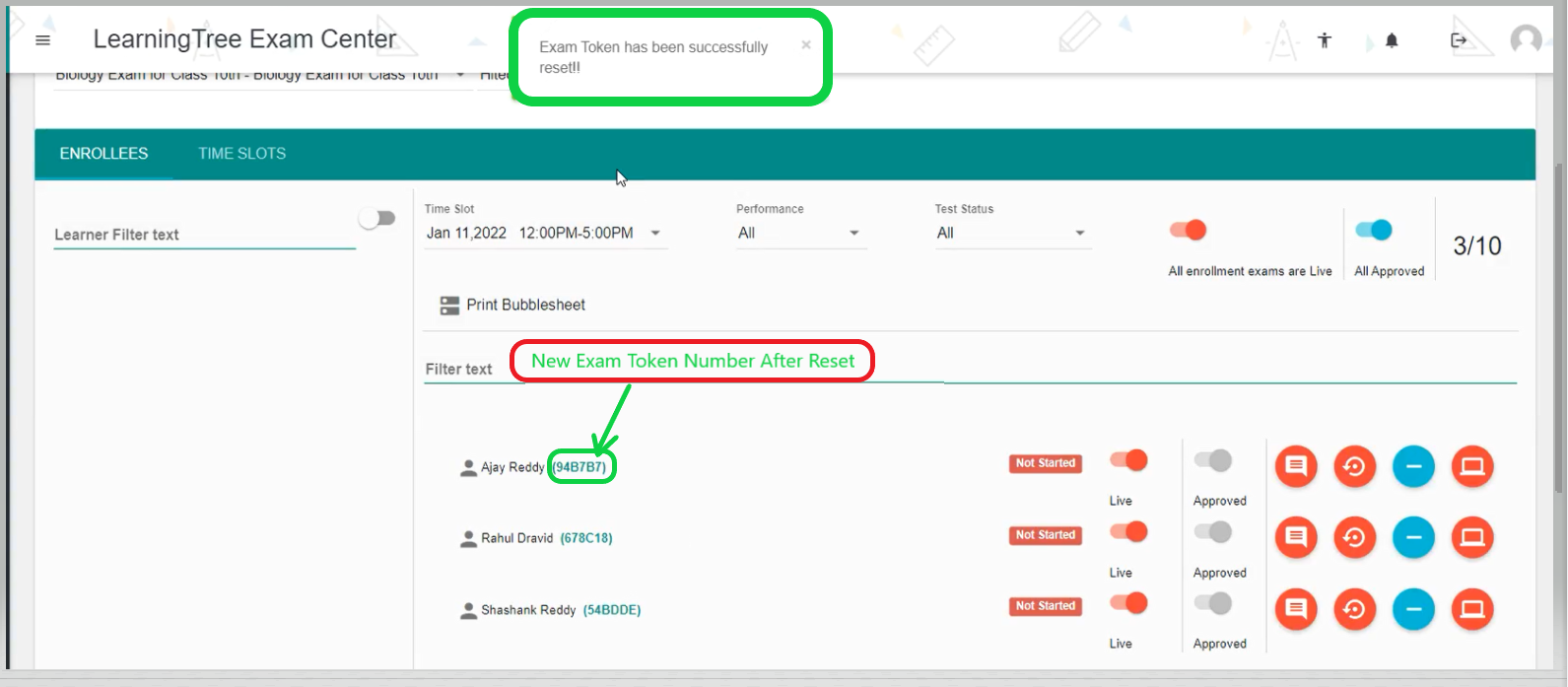
- Hence, you are successfully reset the Exam Token and the New Exam Token is generated as shown below.
Remove:
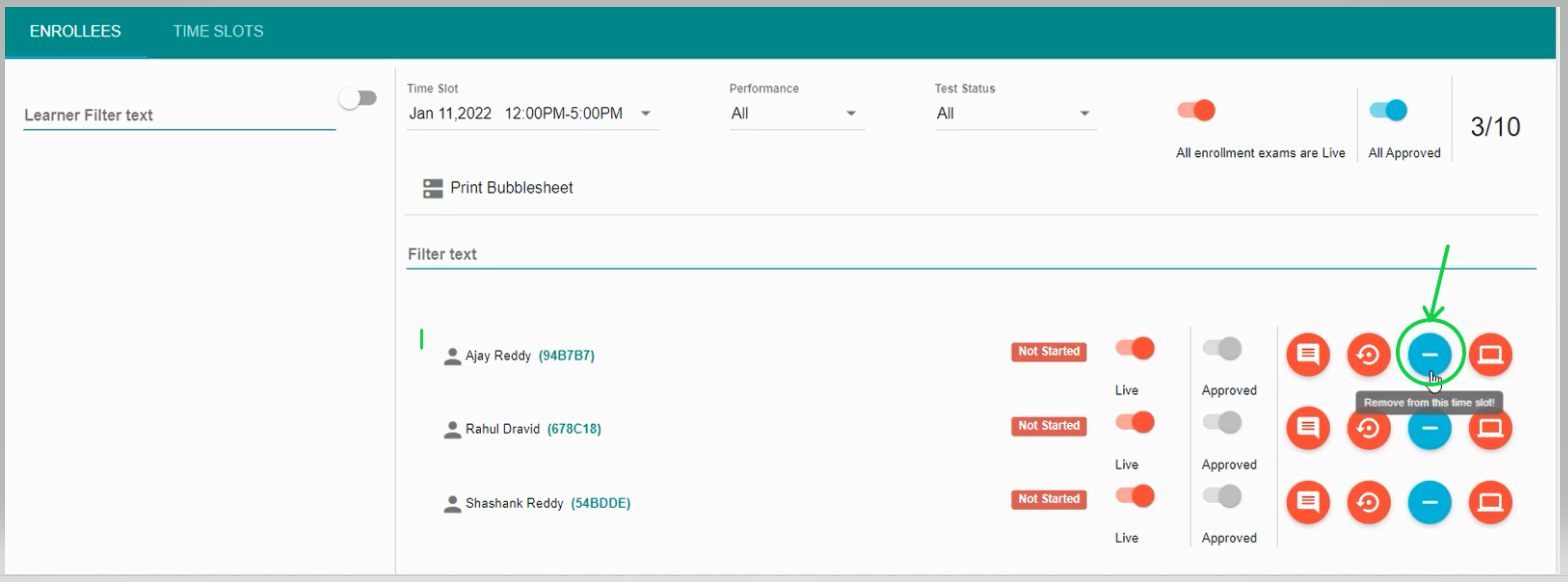
- Click on the 'Remove' button to remove the Examtaker/Student from the Exam Time Slot.
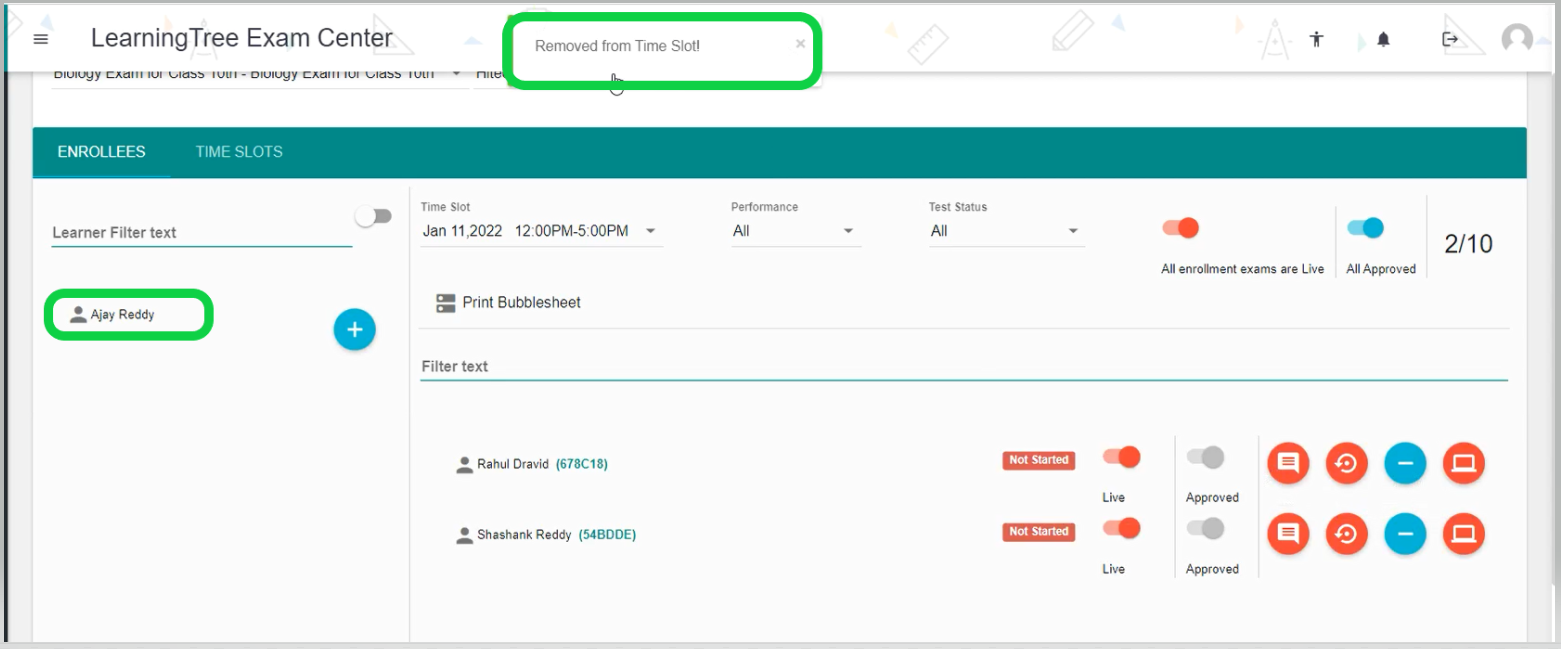
- Once, you click on the Remove button Examtaker/Student will be removed successfully from the Exam Time Slot as shown below.
Entry Details:
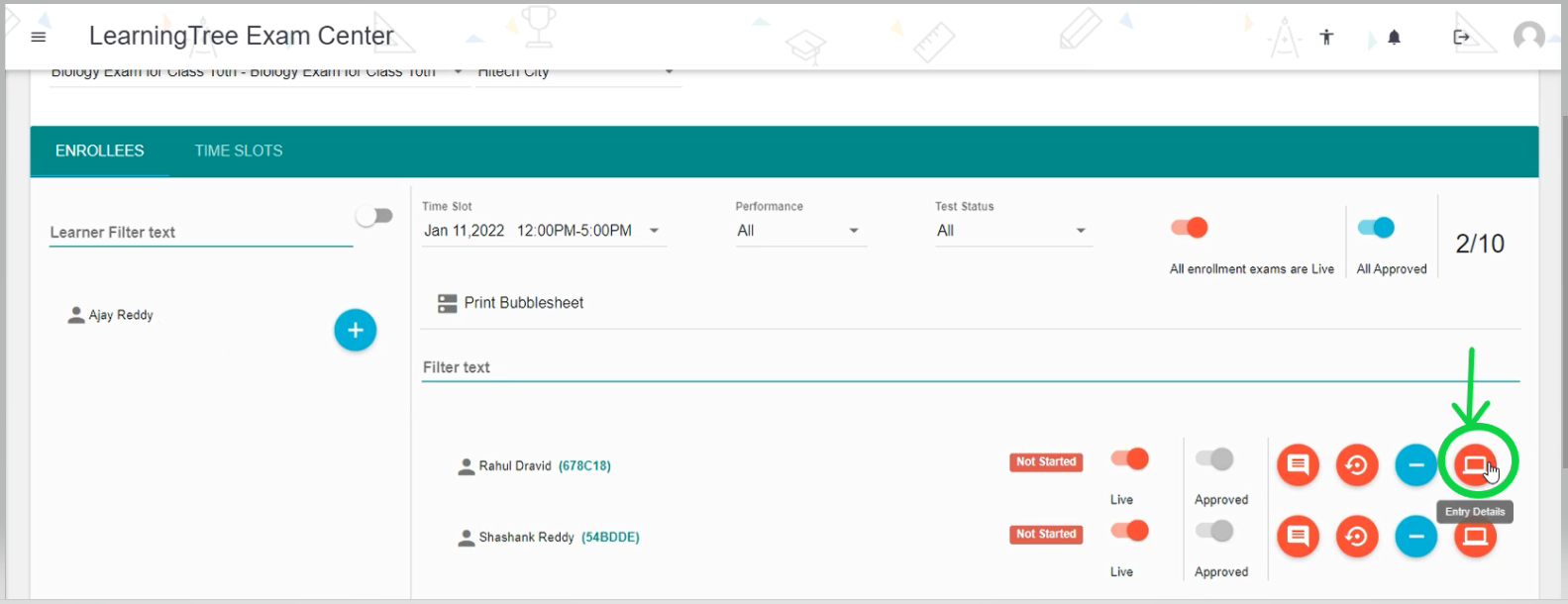
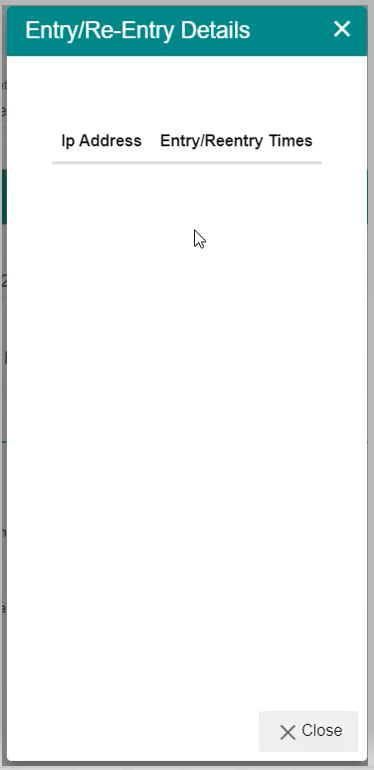
- Click on the 'Entry Details' button to view the entry details such as the 'Ip Address' and 'Enter/Reentry Times' of the ExamTaker.
Comments
0 comments
Please sign in to leave a comment.