
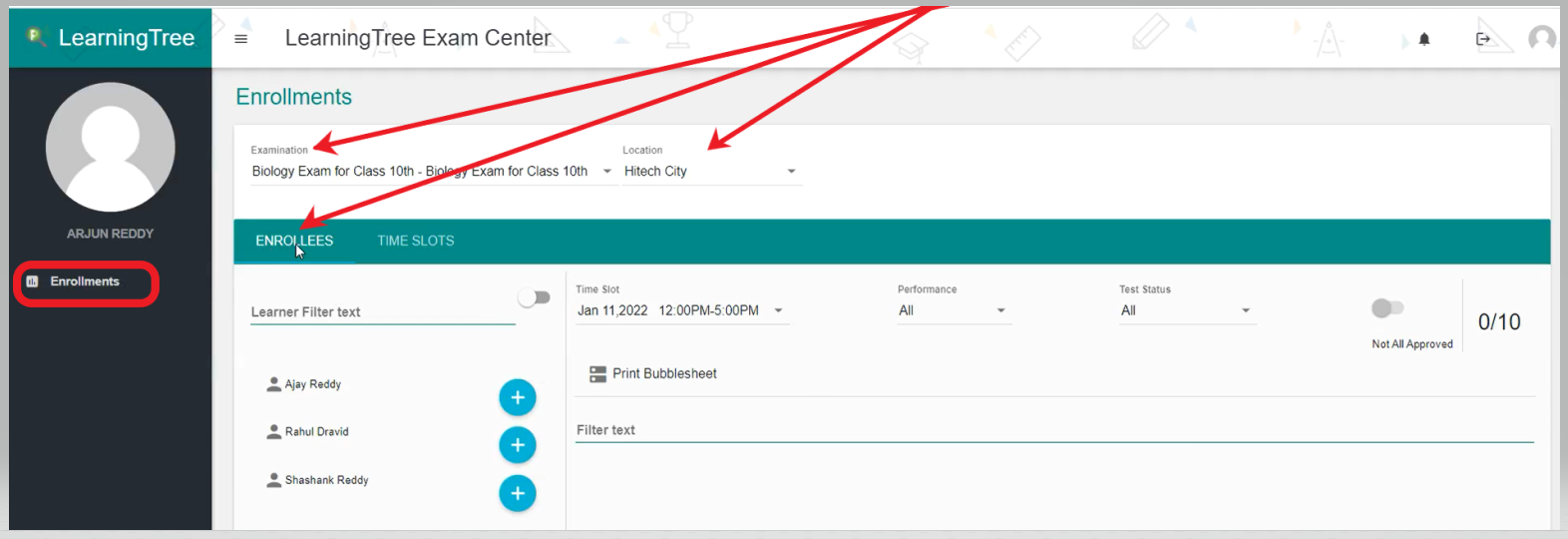
- To Assign the Enrollees/Students to Exam, select the ‘Enrollments’ tab on the left side of the page.
- Then, select the ‘Examinations’, 'Location' and click on 'Enrollees'.
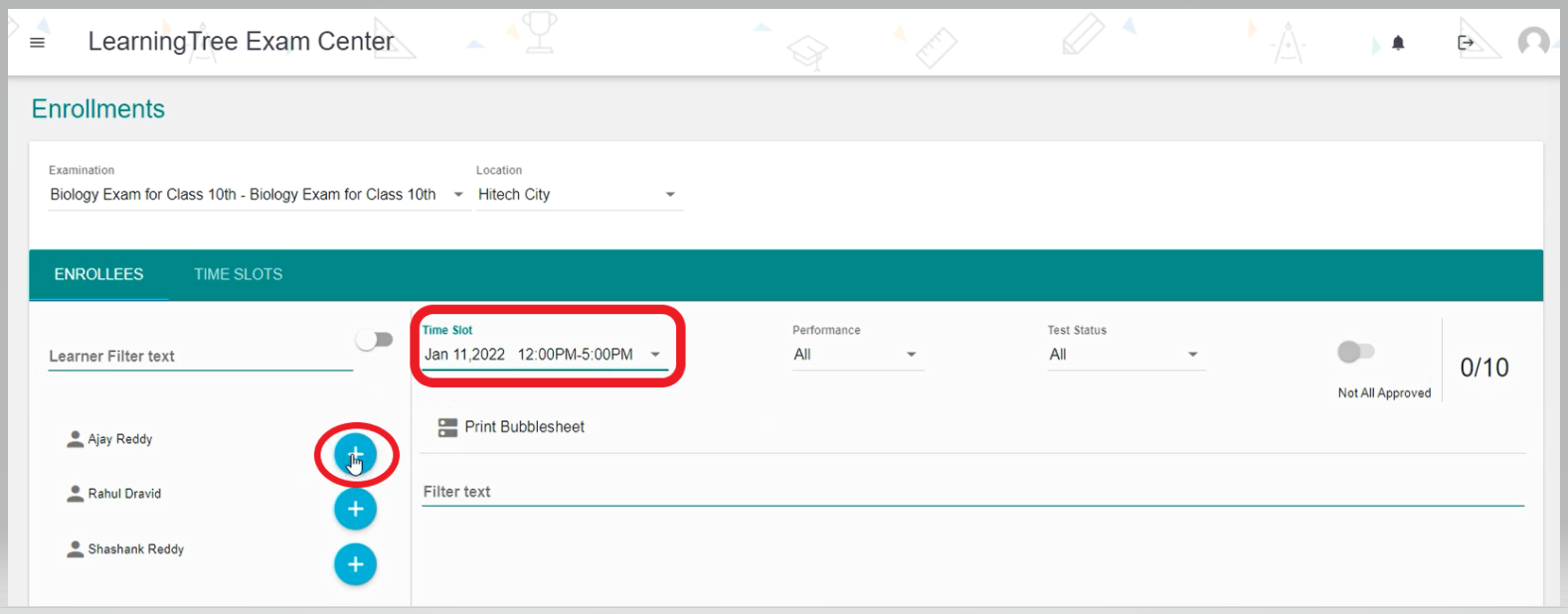
- Then, select the 'Time Slot' and click on the '+' sign to the right side of Enrollees to assign them to the Exam.
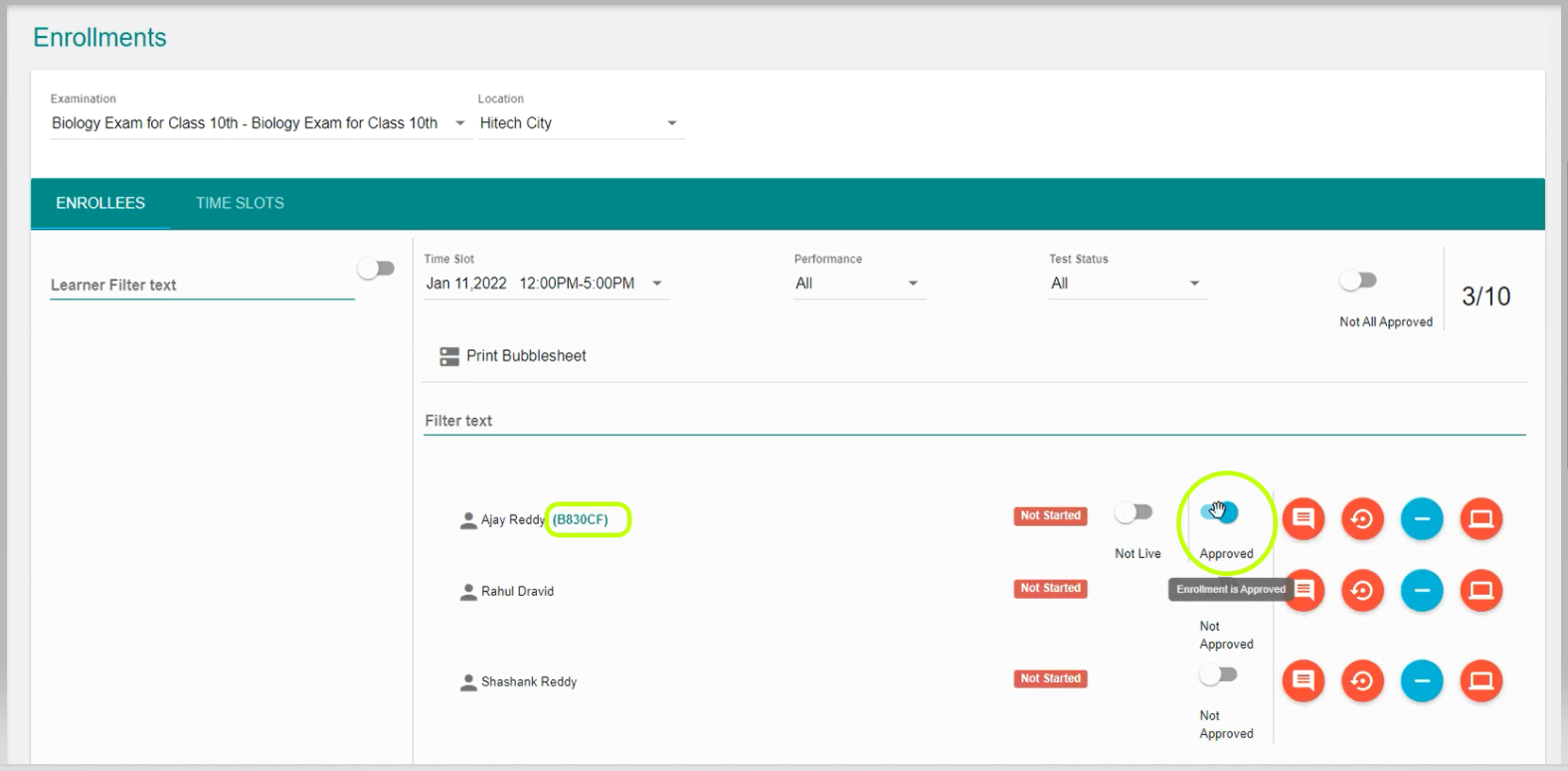
- Once, the Enrollees have been added to the Exam. If you, approve them then the 'Exam Token' number is generated as shown below.
Comments
0 comments
Please sign in to leave a comment.