
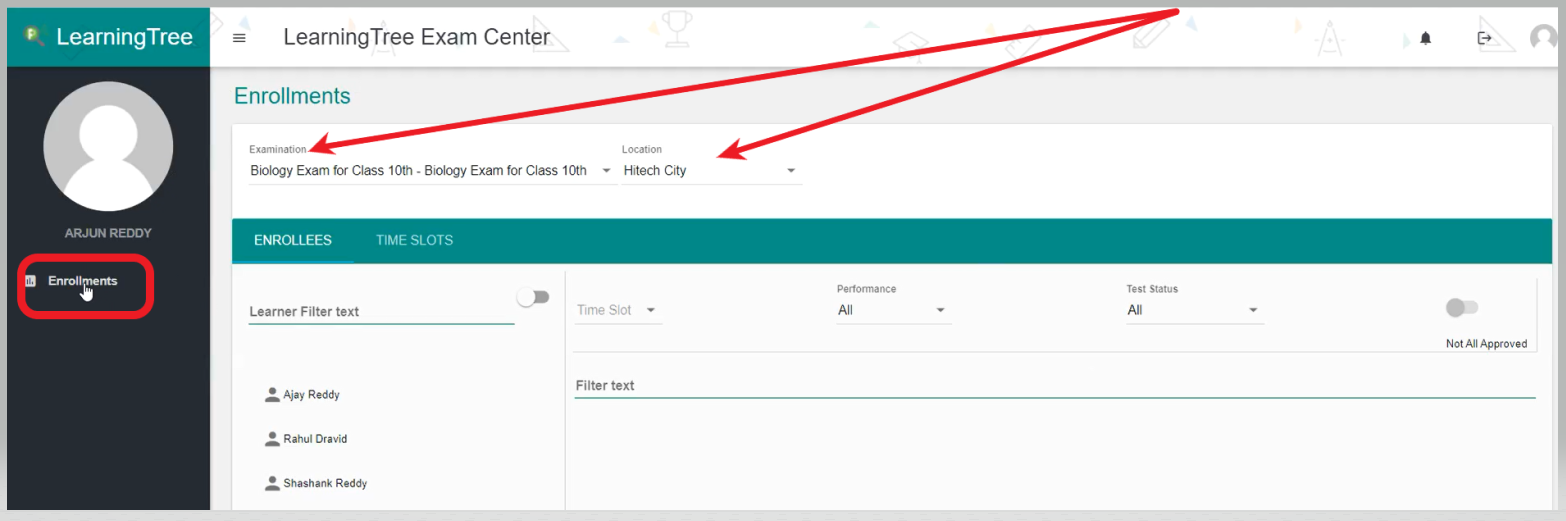
- Click on the 'Enrollments' select the 'Examination' and 'location' of the Exam to which you want to create a time slot.
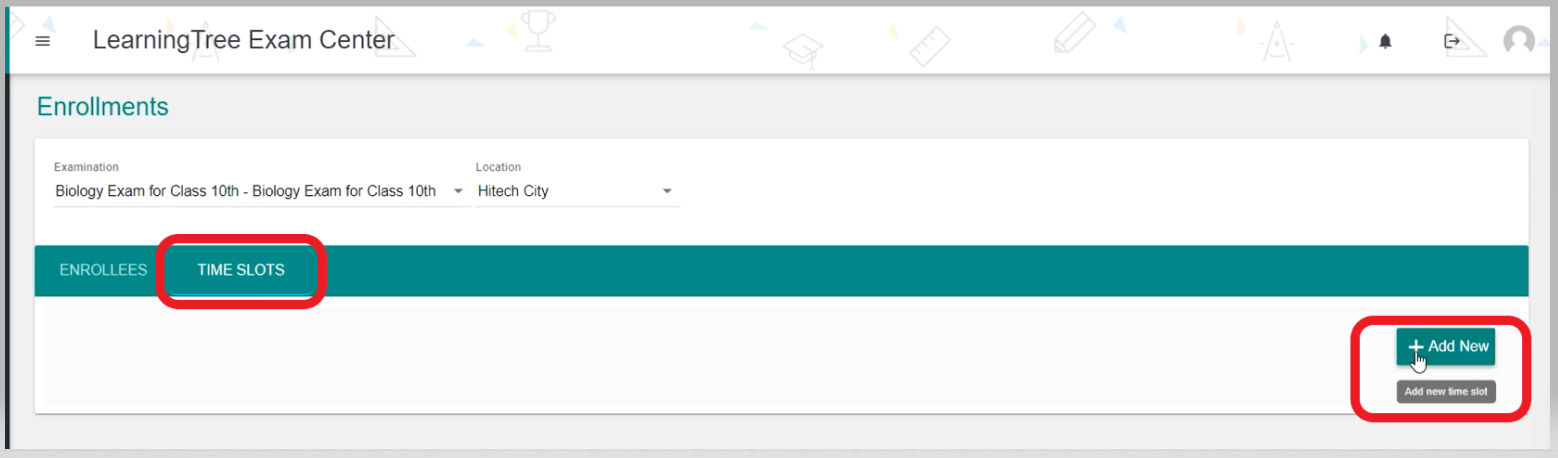
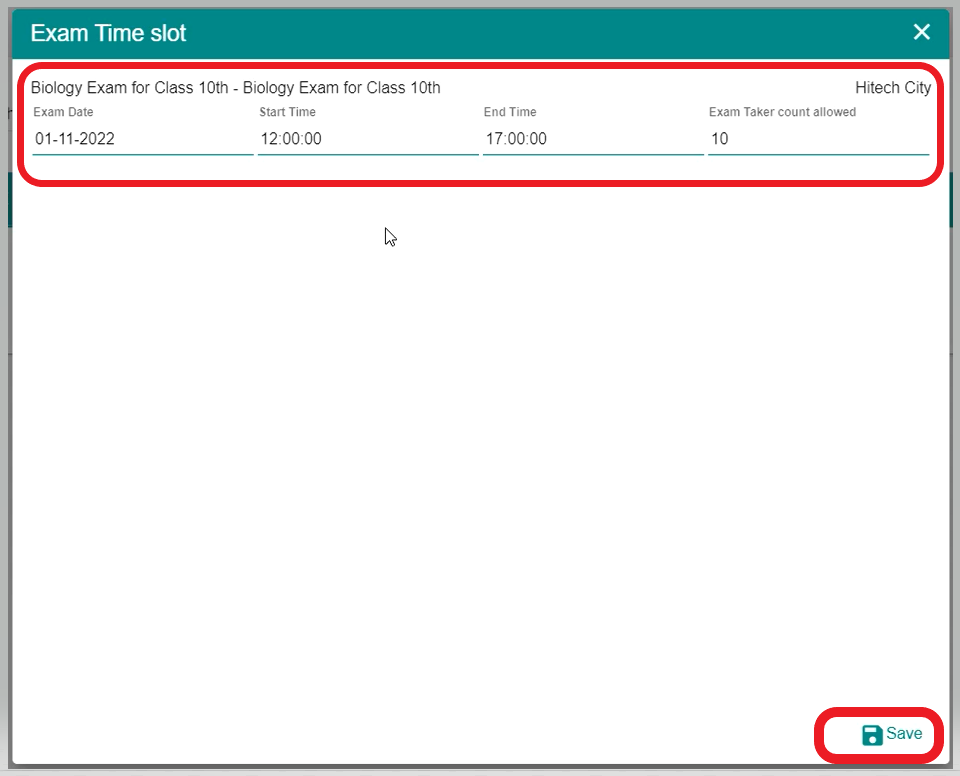
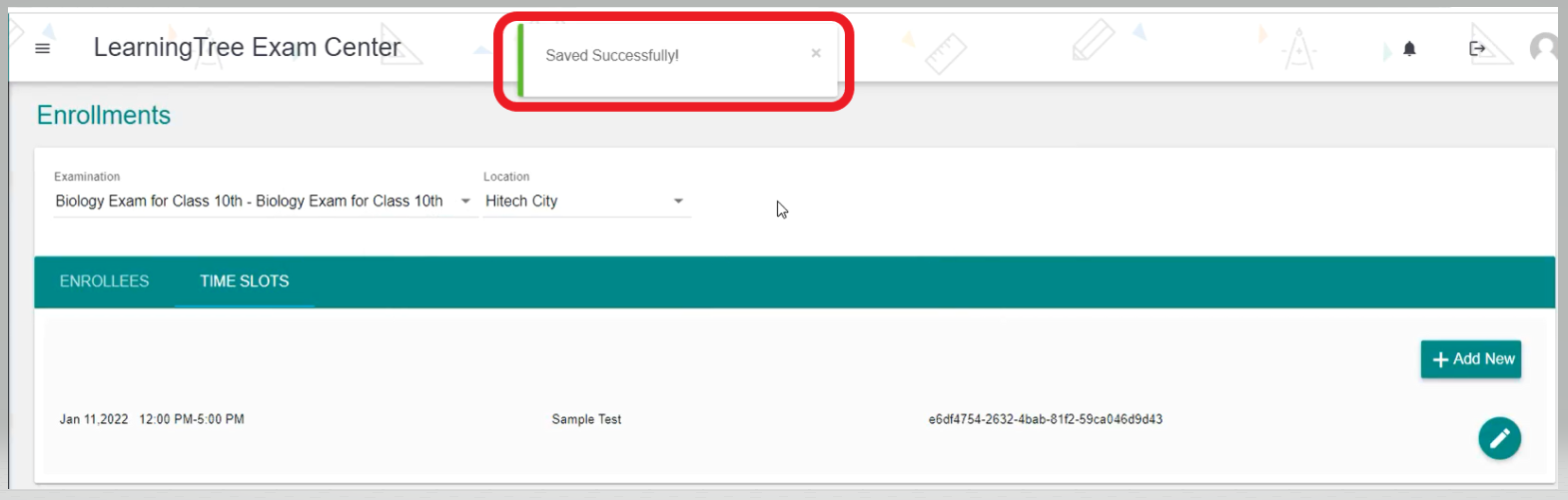
- Then, select the 'Time Slots' and click on '+Add New' time slot and enter the details in the Exam Time slot and click on it 'Save'. Hence, the Time Slot will be saved successfully as shown below.
Comments
0 comments
Please sign in to leave a comment.