
- To write an Assessment, select the ‘Assessment Center’ tab on the left side of the page.
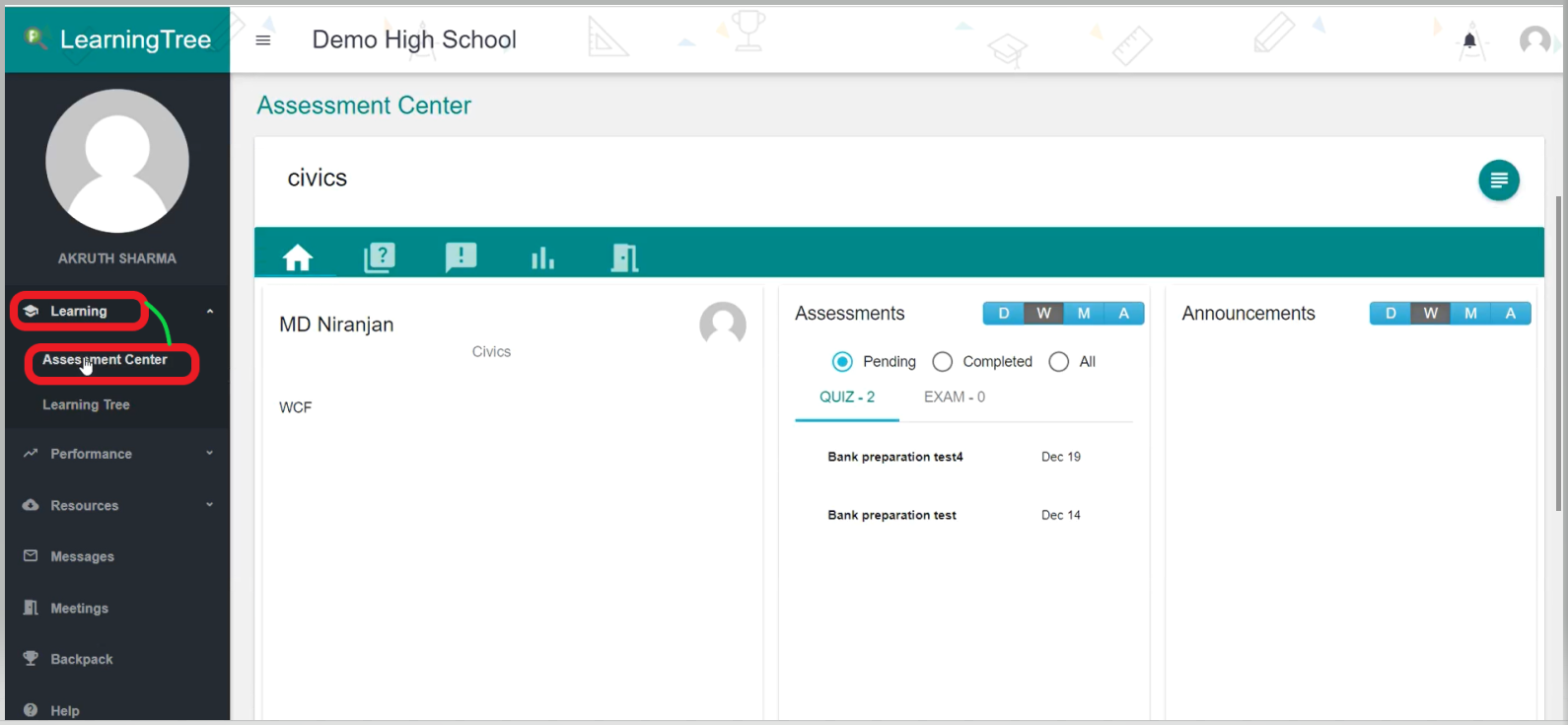
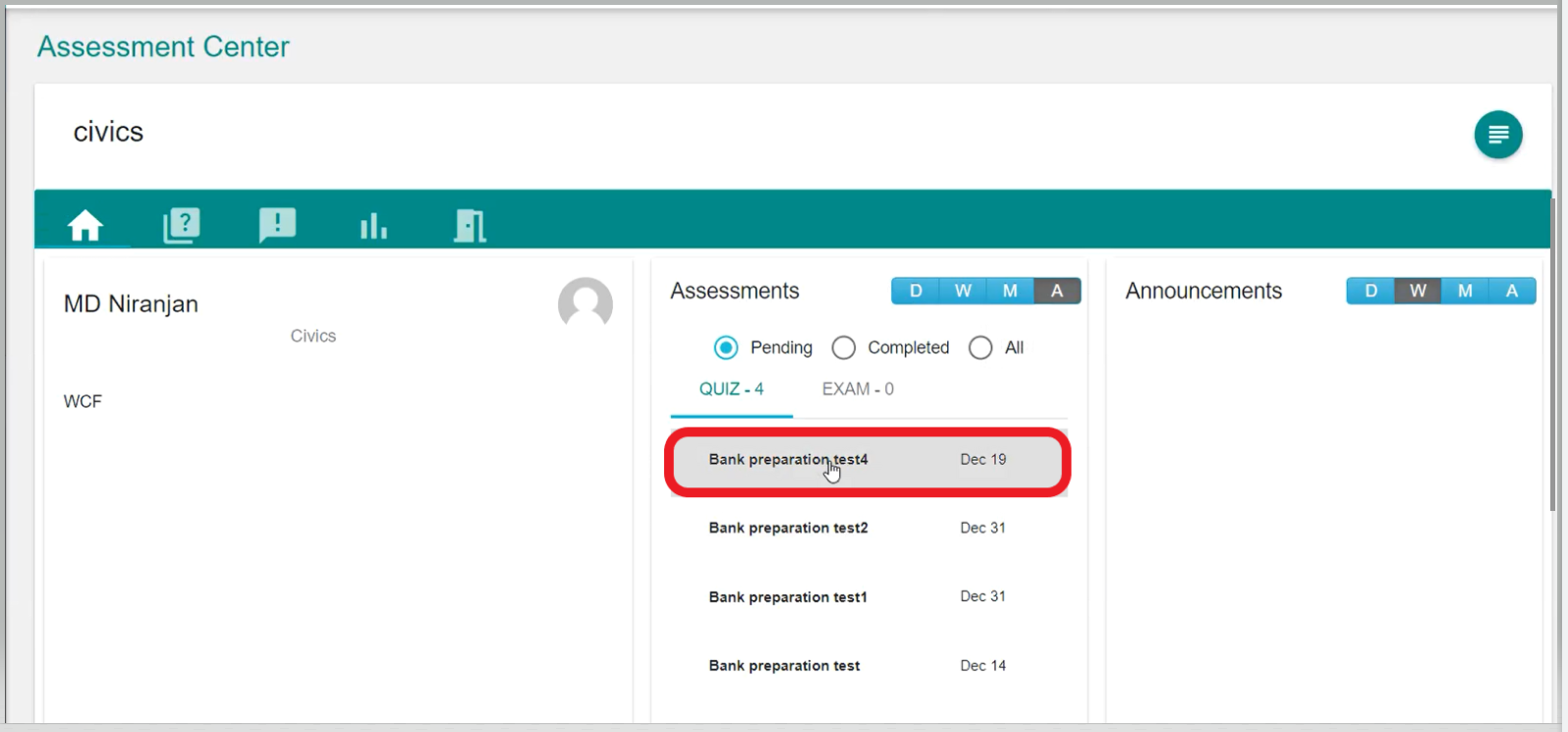
- You can see all the Assessments that you have been enrolled in. Now, click on the Assessment that you want to take.
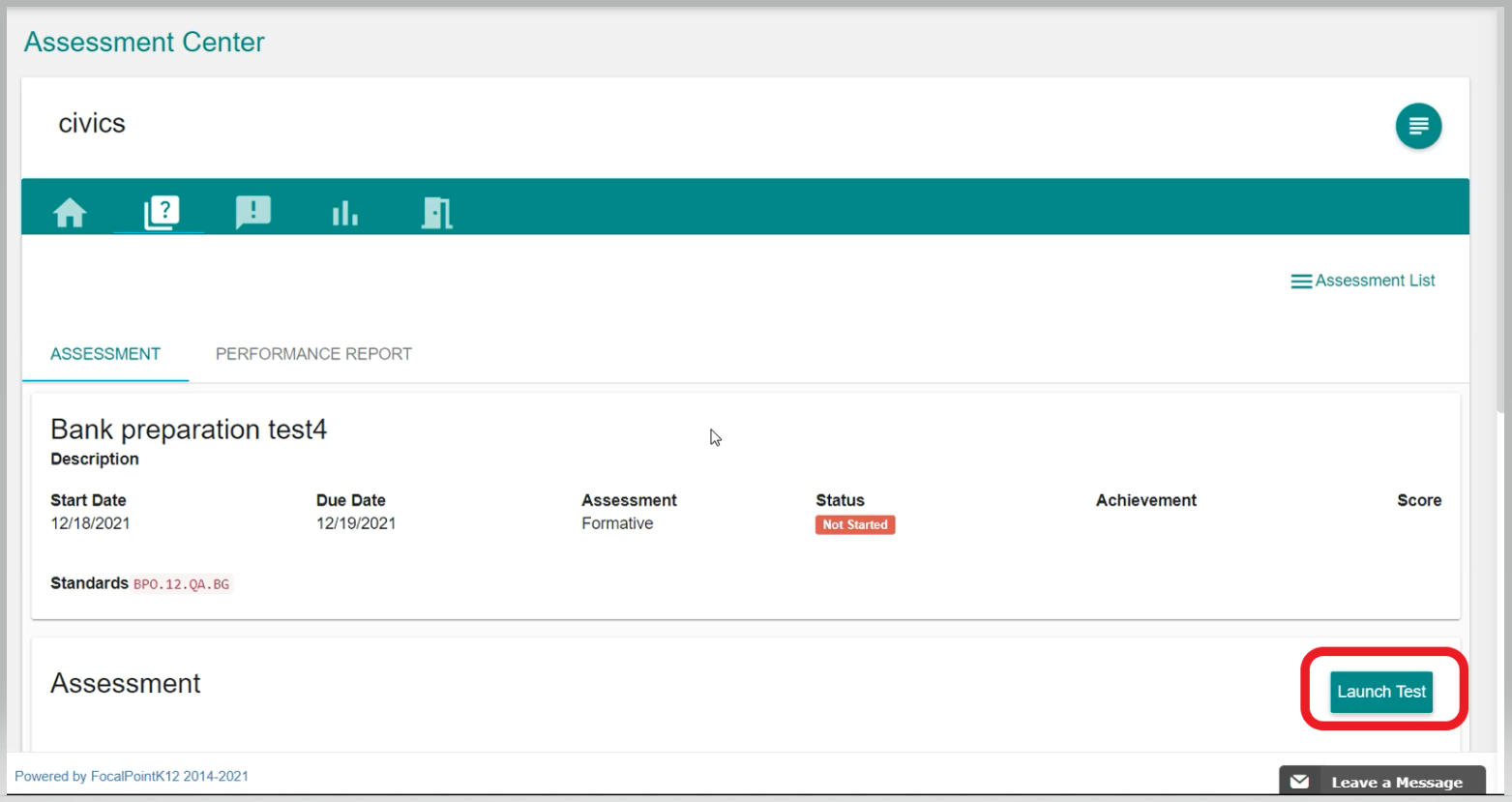
- Once, you have clicked on the Assessment tab that you want to take, you will be able to see all the Assessment details. To Launch the Assessment, you have to just click on the 'Launch' button.
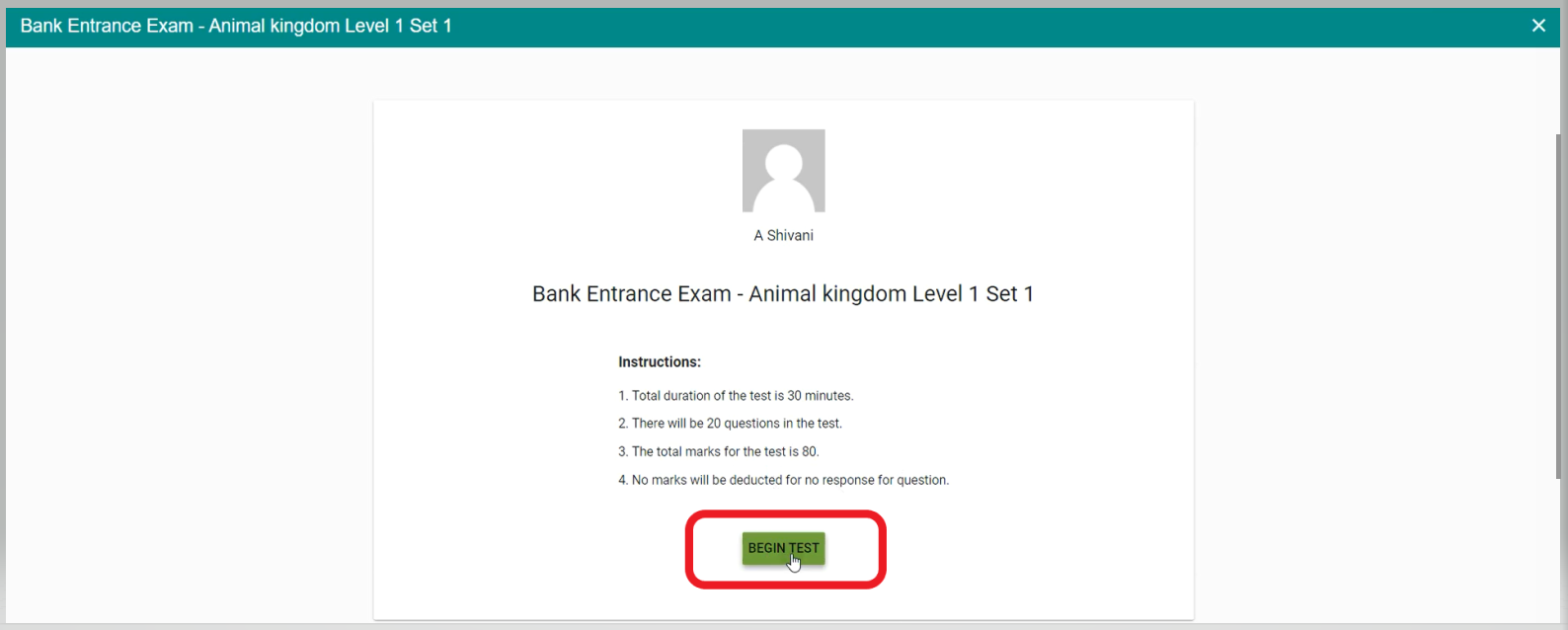
- Click on 'Begin Test' to start your Exam.
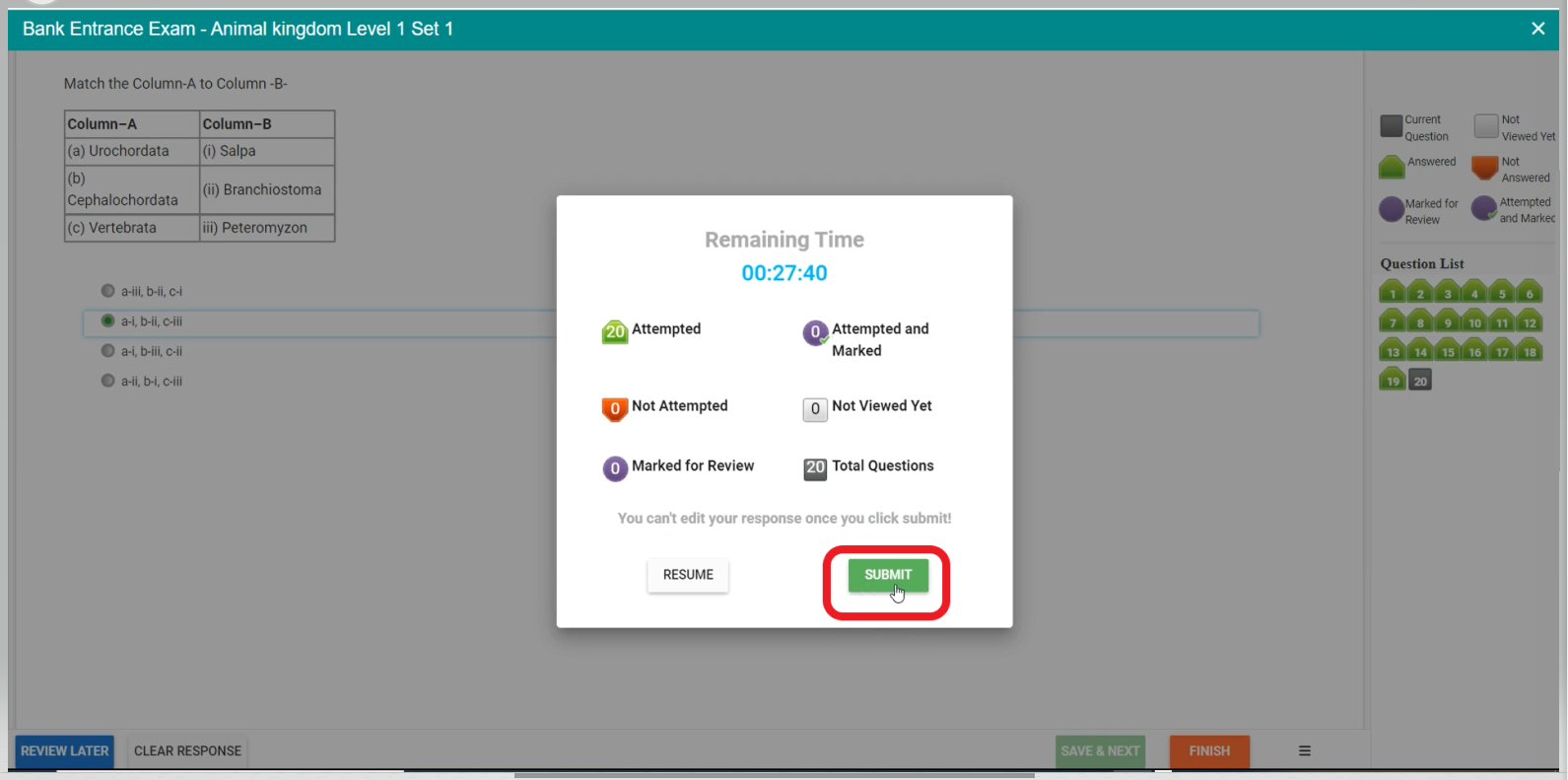
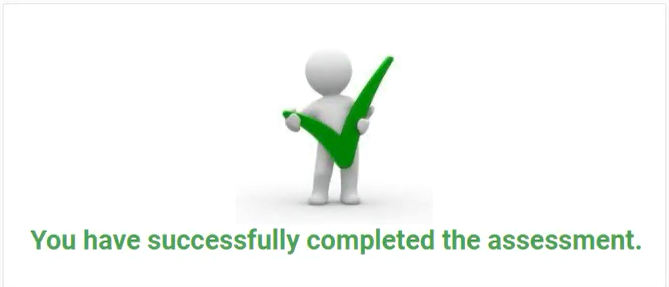
- Once, your Exam is completed just click the 'Submit' button to submit your Exam.
Comments
0 comments
Please sign in to leave a comment.