
- To View/Check your all Badges, Certificates, and QR Codes. Select the ‘Backpack’ tab on the left side of the page. Now, you can able to see all your all Badges, Certificates, and QR Codes as shown below.

- Select the Certificate that you want to download and click on the three dots circle symbol as shown below.
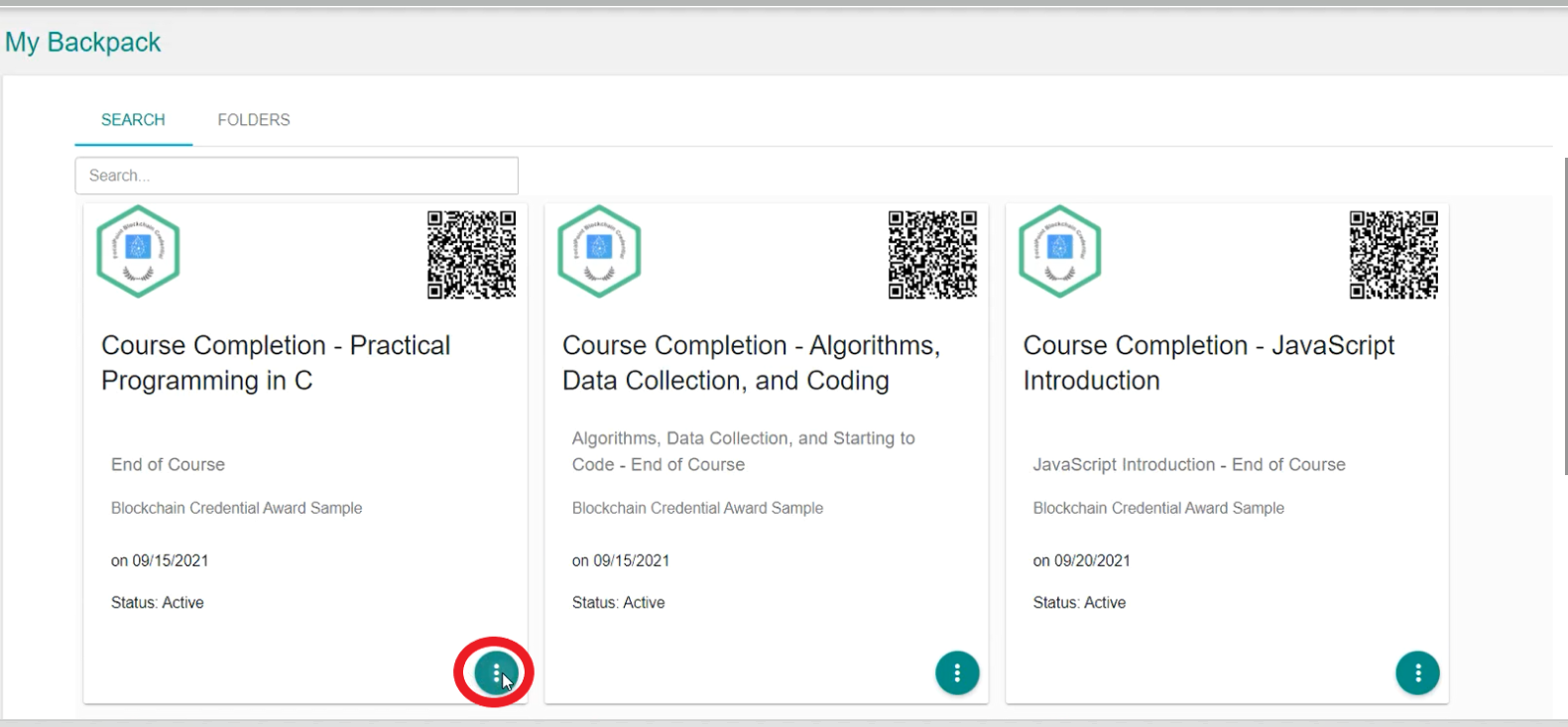
- Now, you can able to see the 'Details' option as shown below click on it.

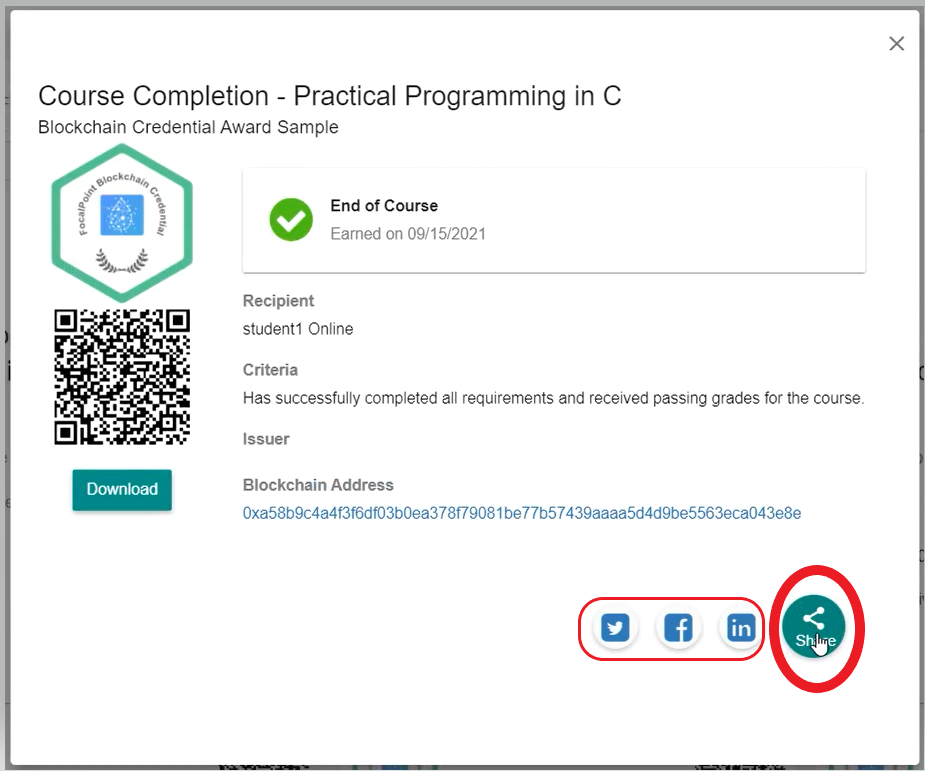
- Then, click on the 'Share' button to share your Badges, Certificates, and QR Codes on Linkedin, Facebook, and Twitter directly.
Comments
0 comments
Please sign in to leave a comment.