
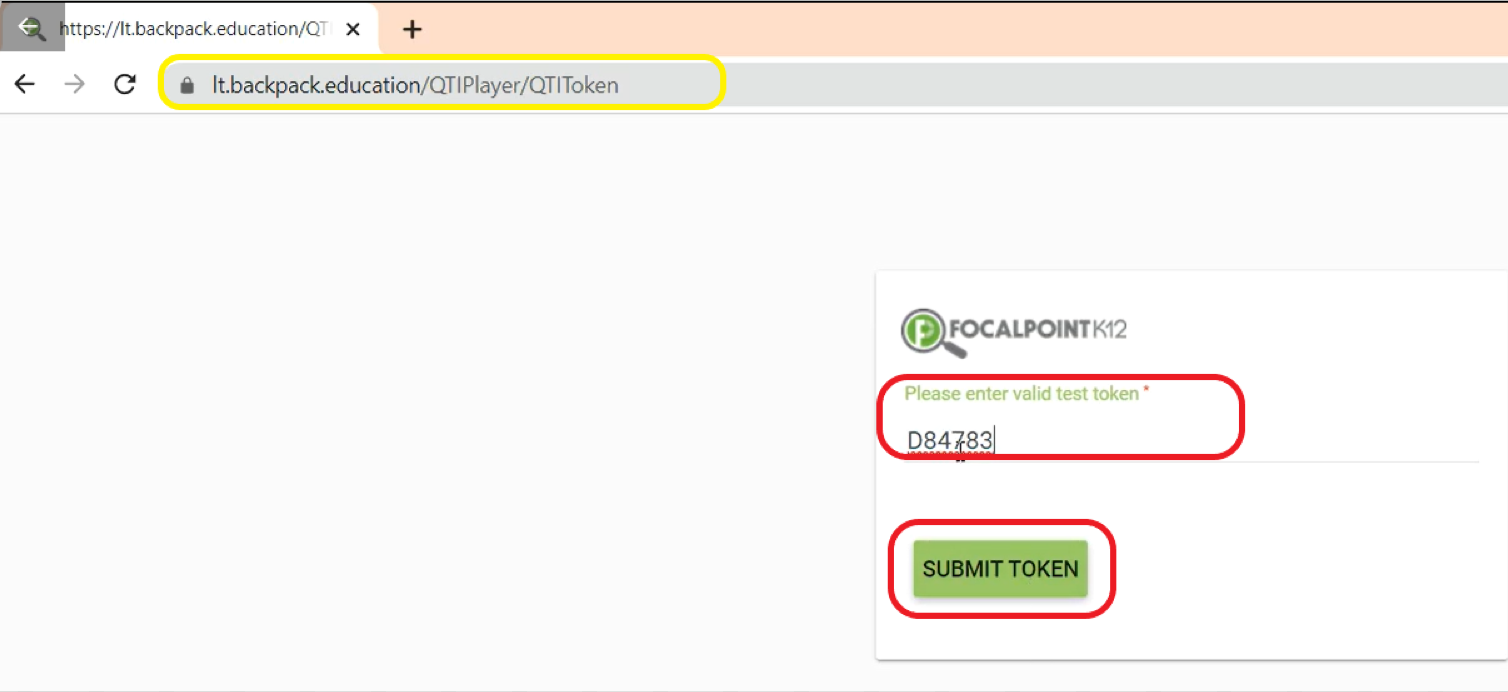
- When ready to have students take the Exam, students will access the URL: https://lt.backpack.education/QTIPlayer, enter their token, and select ‘Submit Token’.
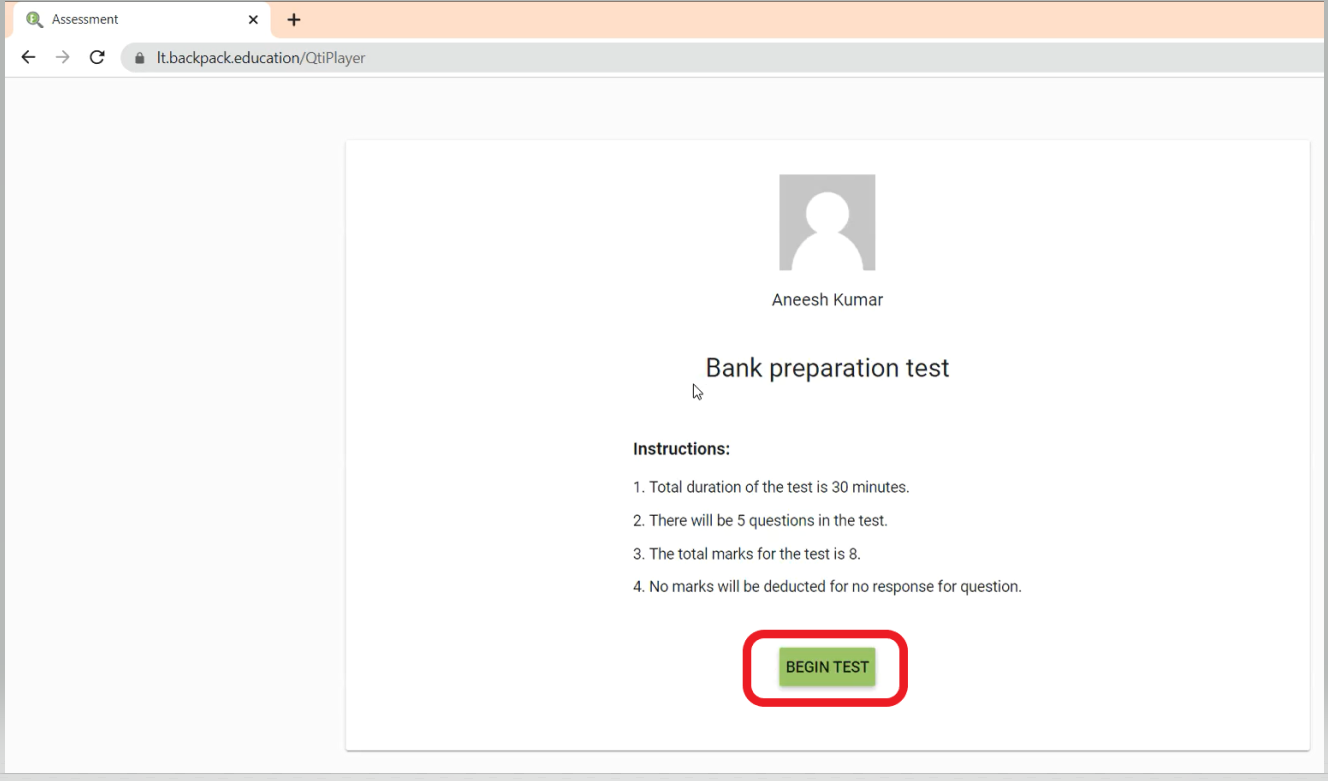
- Select the ‘Begin Test’ Tab to launch the test.
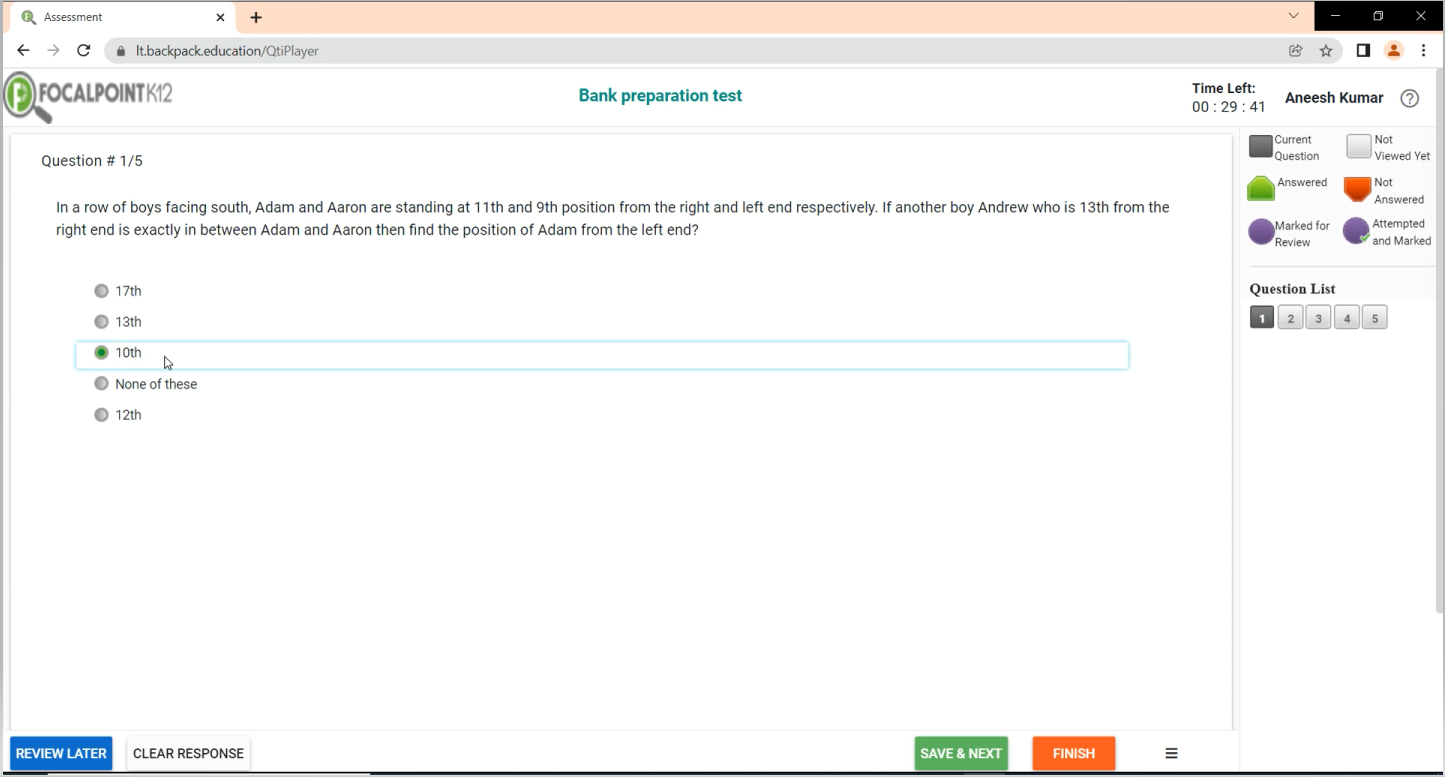
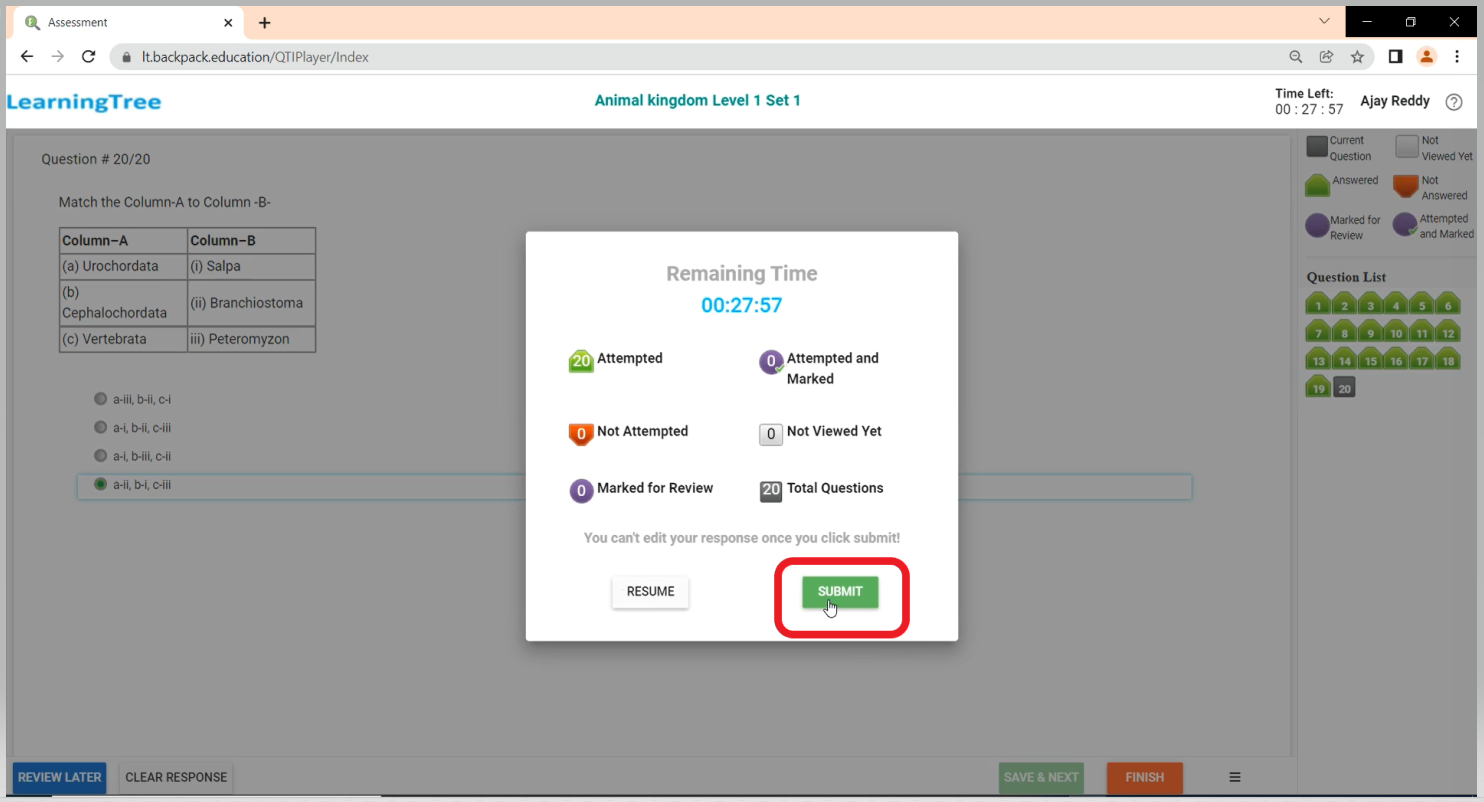
- Once complete, a prompt will show up to confirm that the student is ready to submit the exam. The student will receive a confirmation message that the test has been processed.
Comments
0 comments
Please sign in to leave a comment.