- To edit/change your password, select the ‘My Profile’ icon and then the pencil icon. Enter your old password, then enter your new password. Confirm by re-entering your new password. Click the blue ‘Change Password’ tab to complete.
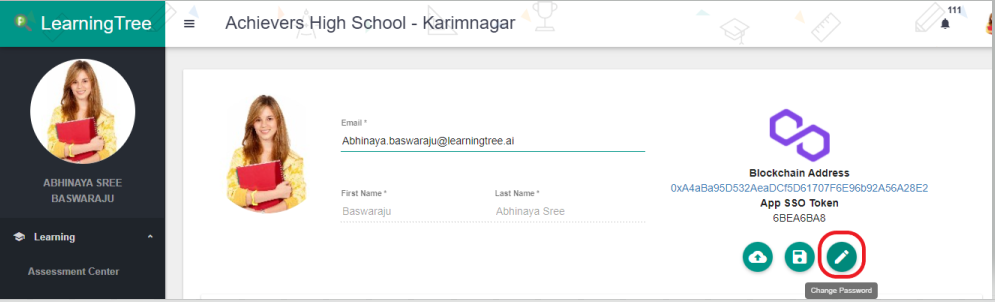
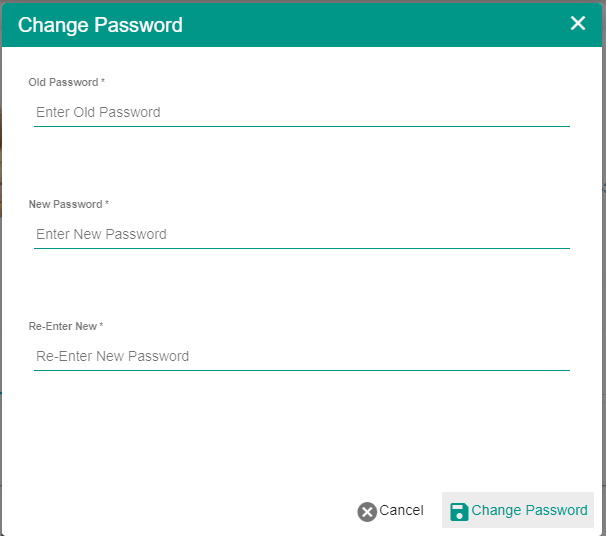
How Do I Edit/Change My Password?

Comments
0 comments
Please sign in to leave a comment.